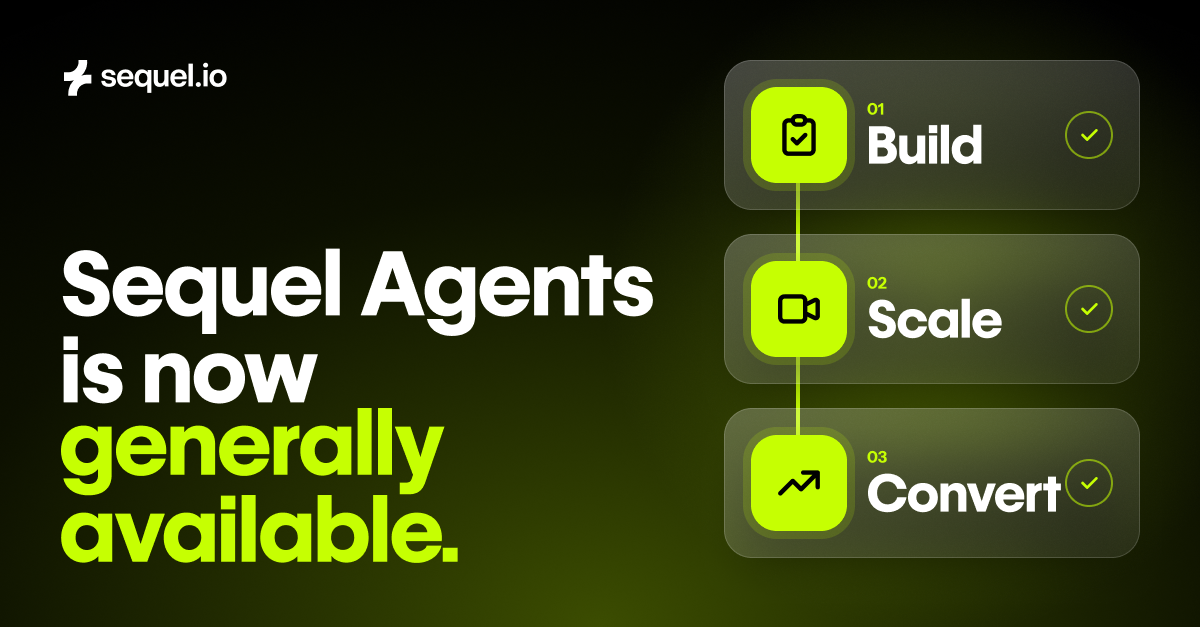
Sequel Agents are now generally available.
Most marketing teams run their video programs across four or more tools. One hosts the live event, another hosts the replay, another cuts the clips, and the CRM is supposed to tie it all together. Each tool sees a slice of the same person. None of them sees the whole story.
The marketer is the one holding those pieces together. Before the event, they clone last month's webinar, fix the registration form, check that the embed works on the landing page, and confirm the CRM sync is still pushing leads. After it, they export the attendee list, scrub the recording for clips, write the recap, nudge sales to follow up, and pull the numbers together for leadership.
That work adds up. In TwentyThree's State of Webinars 2026 report, 39% of marketing teams said they spend 10 or more hours preparing, running and distributing each webinar, and execution time was the most-cited webinar challenge. When Unit21's GTM engineer estimated what it would take to produce a full content set from a single webinar by hand, he landed on about 29 hours. Most of it never got done.
The time has to come from somewhere, and it usually comes from the work that matters most: finding the right speaker, sharpening the idea, and following up with the people who showed real interest. So the webinar ends, the recording goes into a folder, and the buying signals from the session sit in a report until the moment has passed.
What marketers should expect from a webinar platform now
For years, the job of a webinar platform has been to run the webinar. Schedule it, broadcast it, send the recording, export the data. When the broadcast ends, the platform considers the job done.
For the marketer, that's where the real work starts.
We think marketers should expect much more from the platform at the center of their video program. It should understand your audience across your website and your video, not just who registered. Every session should become content on your own domain, and sellers should get the context while interest is still high. And the repetitive work around every event should come off your team's plate, so they can spend their time on the parts that need a person.
That's what Sequel Agents do, and starting today they're generally available to every Sequel customer.
Agents are only as useful as what they know. Because Sequel runs your webinars on your own website, it connects what people do across your site with what they watched, asked and clicked inside the session. Oana wrote about why we built Sequel around the website. Agents are what that foundation makes possible: they use your first-party context to plan programs, create content and act on engagement.
The payoff is pipeline. ElevenLabs set a $300K pipeline goal for its webinar program at the start of the year, built an agentic webinar engine on Sequel with Claude, n8n and Clay, and finished the first half with $14M in attributed pipeline. The team runs 5 to 10 webinars a month without a matching increase in headcount.
What Sequel Agents do, before and after every webinar
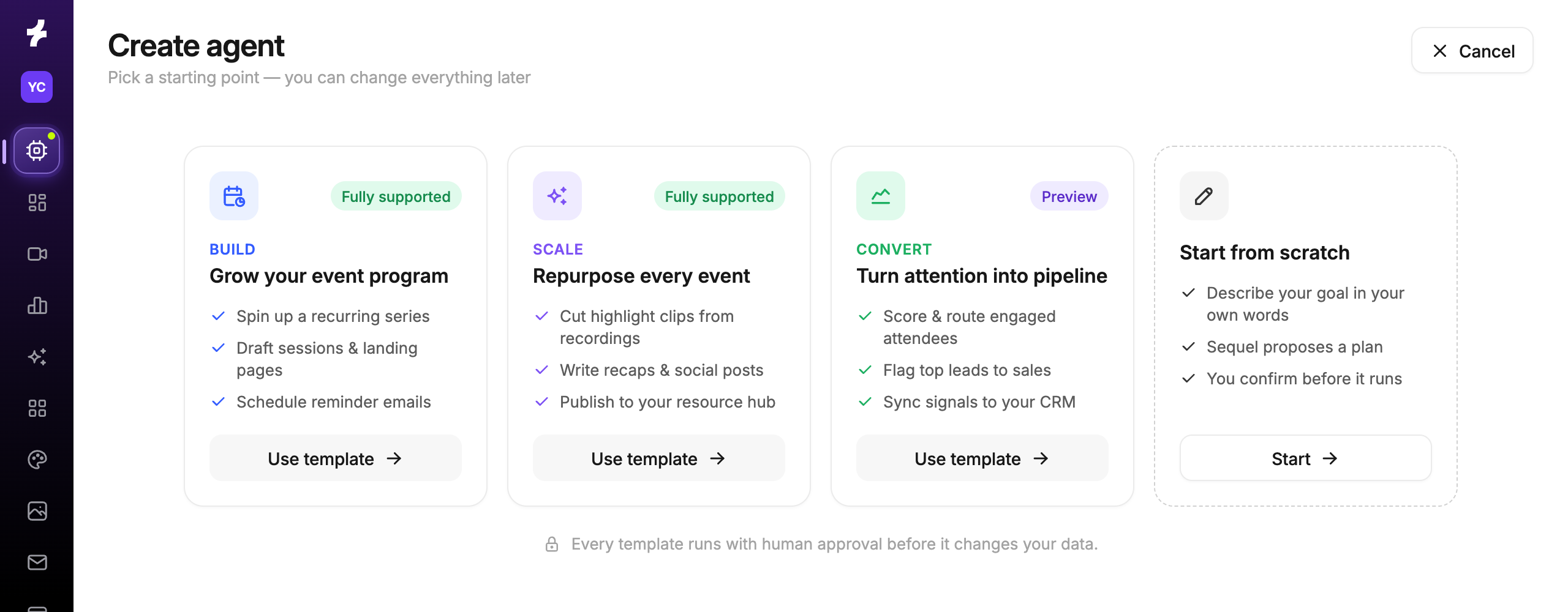
Sequel Agents come with three starting points: Build plans and prepares the program, Scale turns each conversation into content, and Convert turns engagement into the next step. Here's what that looks like across a webinar's life.
Before the webinar
Plan the program. Tell Build what you're trying to achieve. It reviews your own attendance, on-demand viewing and conversion history, recommends a series, topics and a timeline, and revises the plan when you push back.
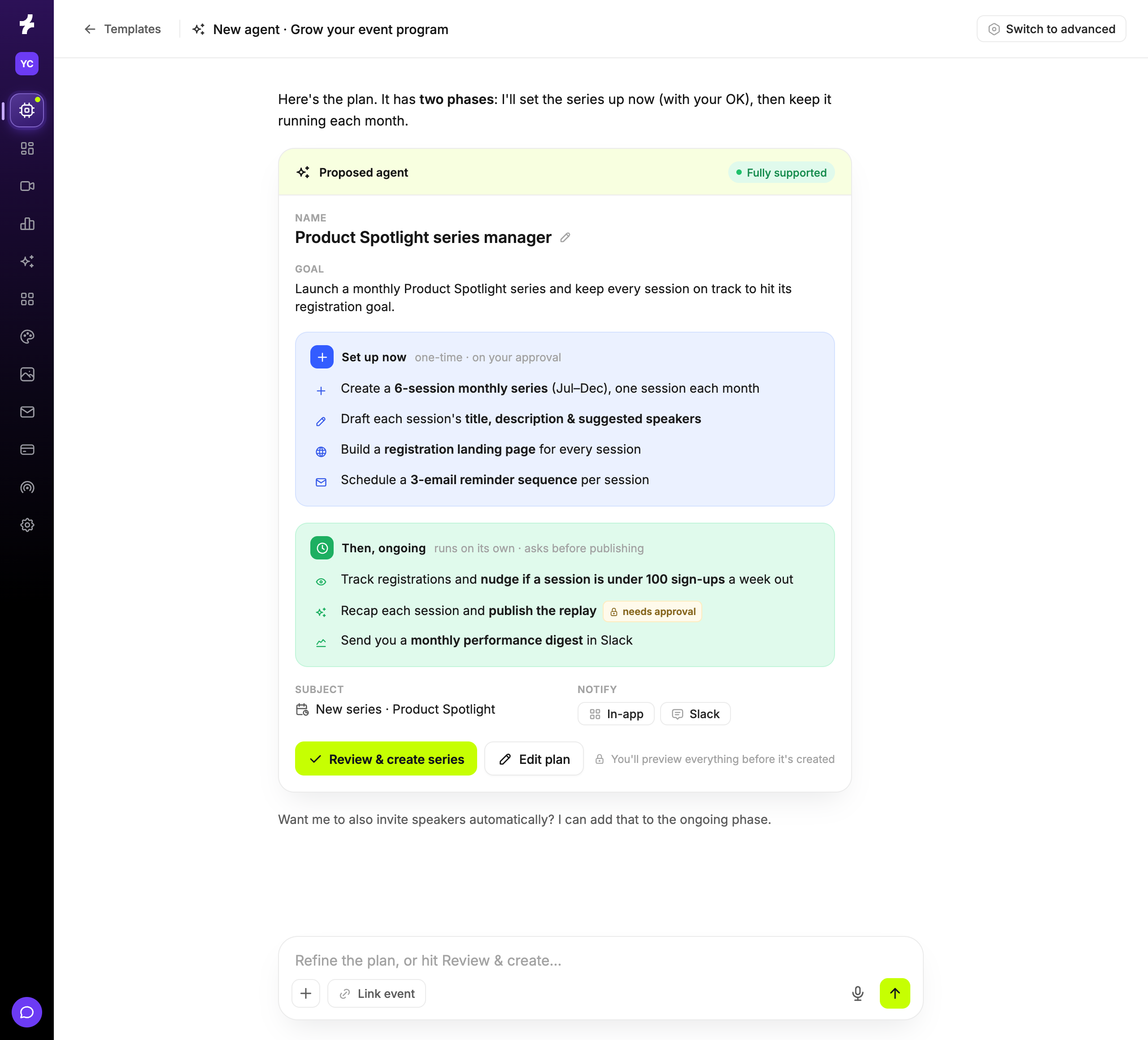
Go from intake to live event. When an event is marked "ready" in Asana or Airtable, an agent clones it from your series template, sets up registration, the CRM campaign and the landing page, and posts a readiness report back to the task.
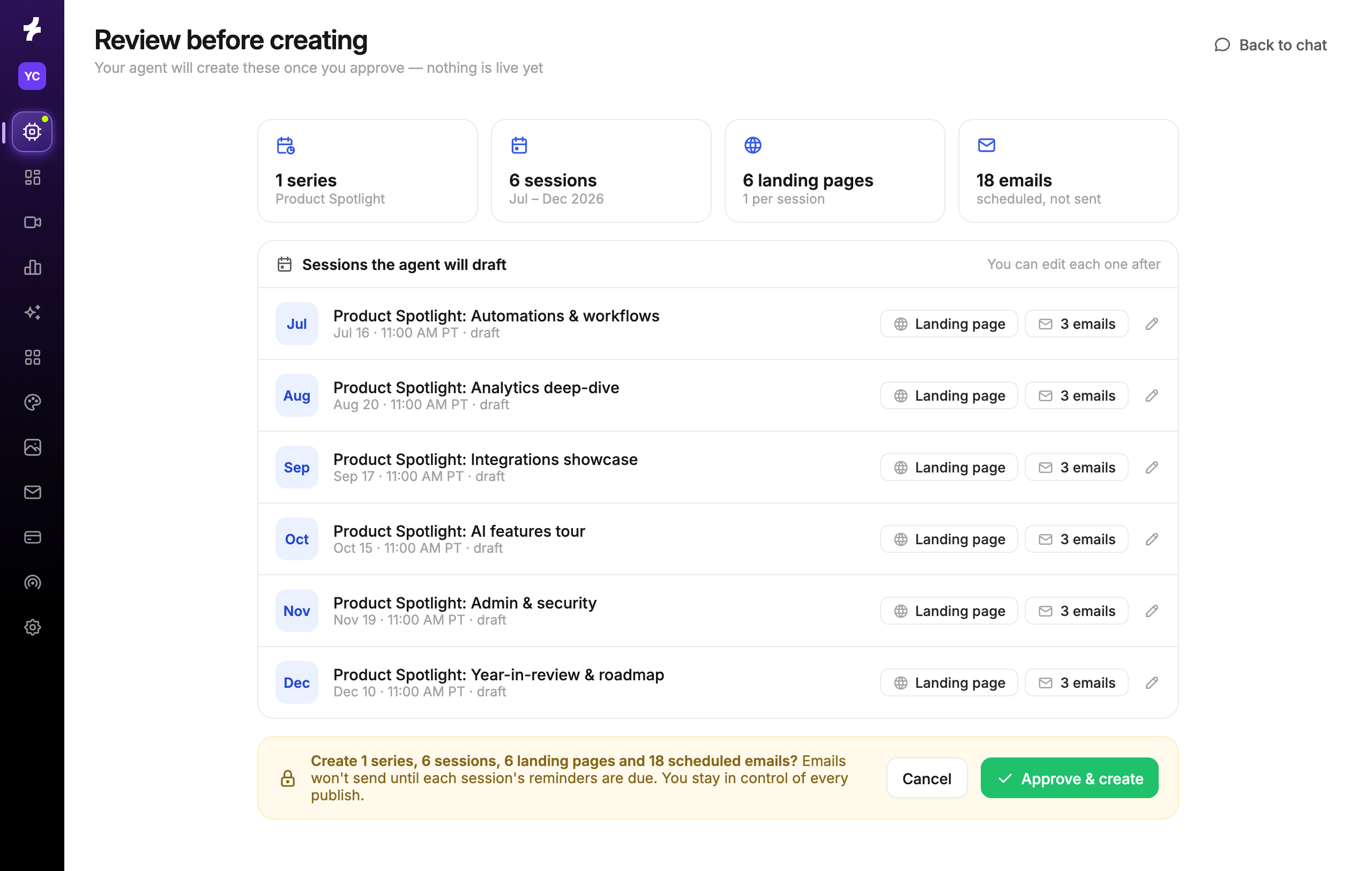
Catch problems before your audience does. Event Check runs 72 and 24 hours before every event. It checks registration, emails, the landing page, the embed, hosts and CRM sync, and posts only the problems to Slack, with a fix for each.
Give every rep a reason to invite. Two weeks out, each rep gets 15 to 25 accounts that have engaged with related topics, the reason each one made the list, and a drafted invite to send from their own tools. It's the same workflow ElevenLabs runs before every event.
After the webinar
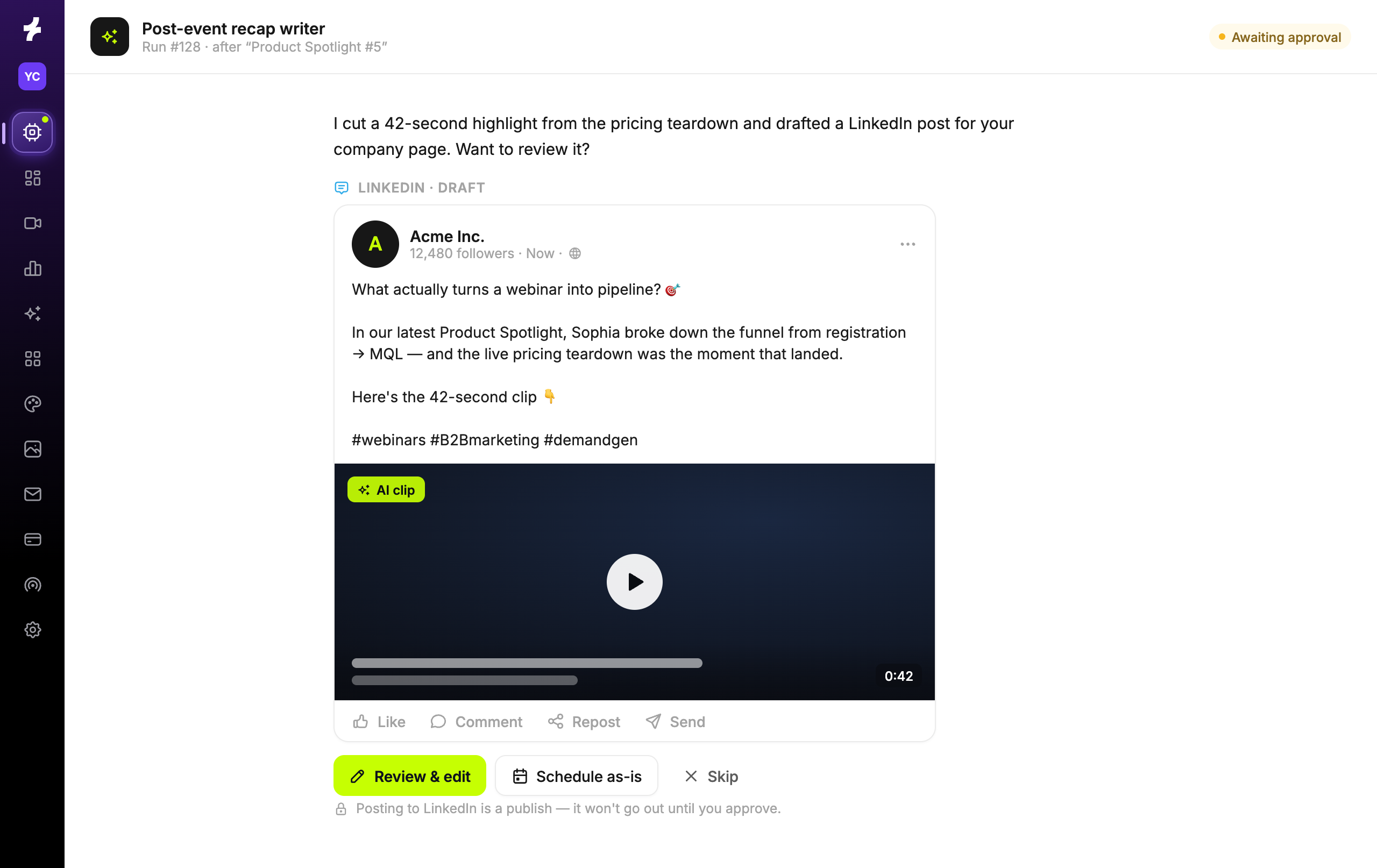
Turn one session into a week of content. Every morning, Scale picks up the events that ended in the last 24 hours. It cleans the transcript with your glossary, cuts vertical and landscape clips, and drafts a blog, a LinkedIn post for each speaker and a newsletter blurb, review-ready within the hour.
Put the conversation back on your site. Agents can publish a recap to the event's landing page as crawlable text, so the session keeps working for future visitors and for search and answer engines.
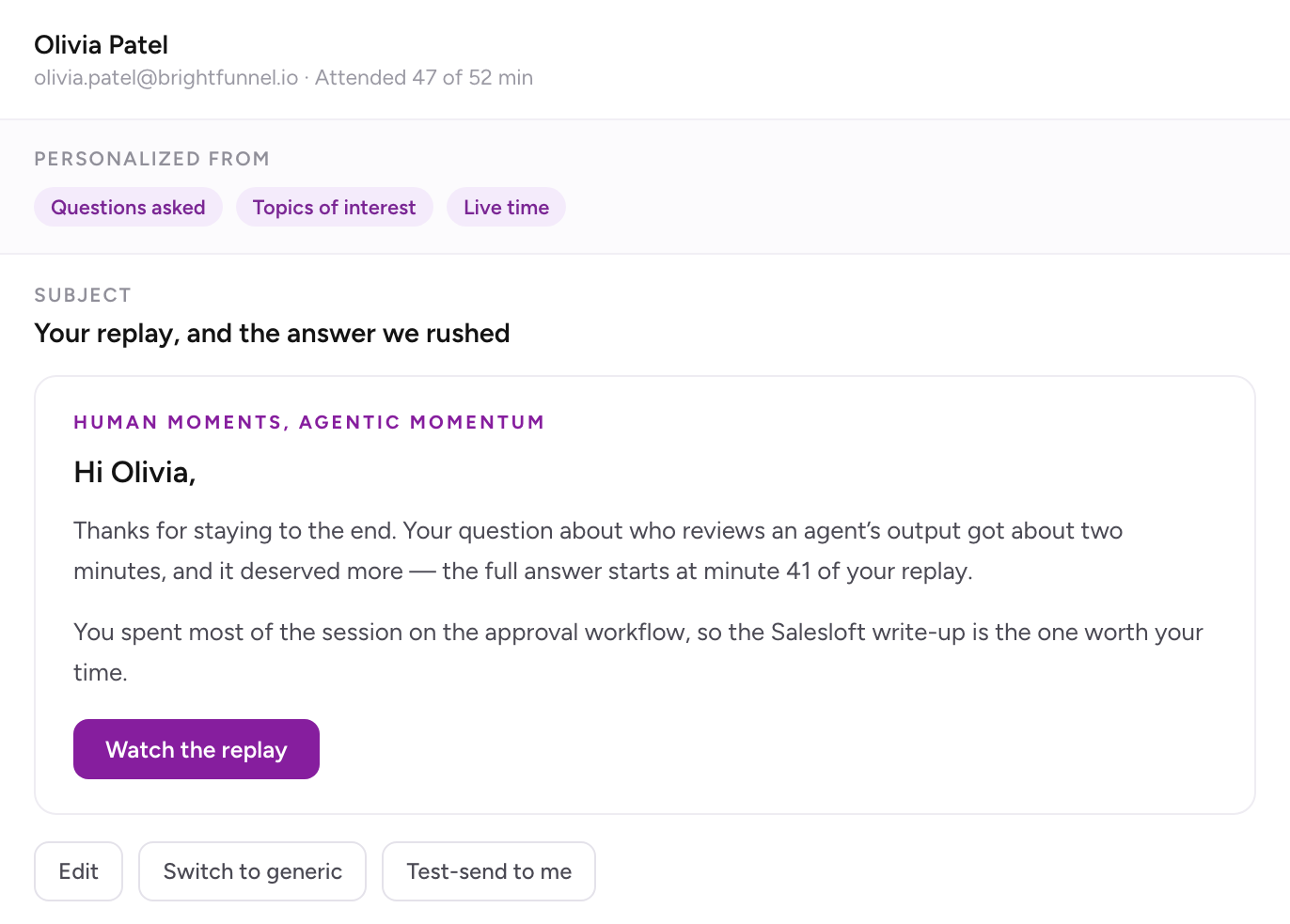
Follow up with what each person cared about. Convert drafts an email for every attendee that opens with the question they asked or the poll they answered. No-shows get the key takeaways and their replay link.
Get sellers the context while it's fresh. Each engaged attendee's viewing, questions and clicks go to the CRM, and the account owner gets a Slack brief that flags open deals with people who attended.
Make sure no lead leaks. An agent compares registrants with what actually reached your CRM, flags failures with the likely fix, and reruns them once you approve.
Every month
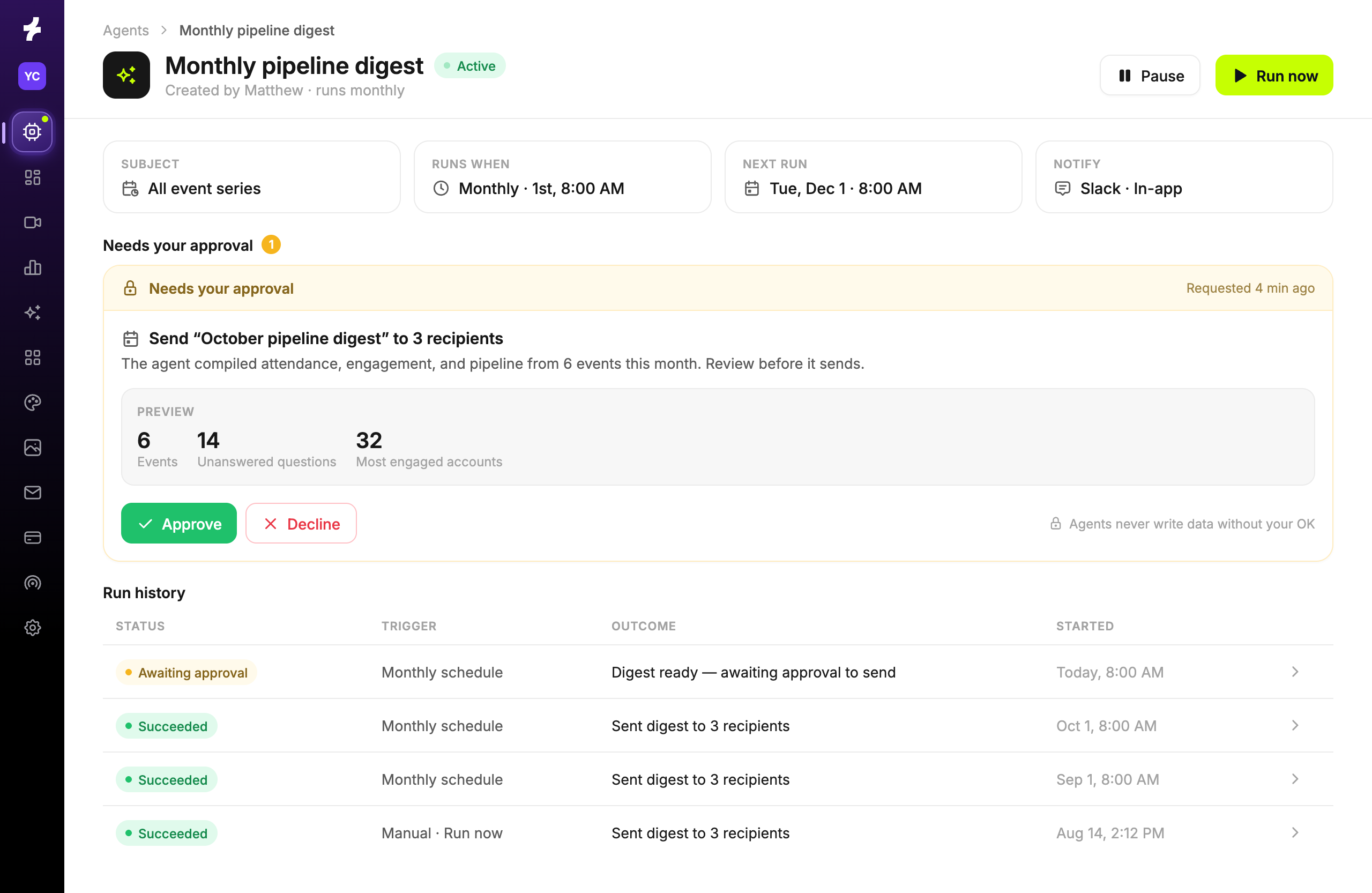
Give leadership a clear view of the program. On the first of each month, an agent compares your webinars against your goals and industry benchmarks and reports on live versus on-demand viewing, unanswered questions worth turning into content, emerging personas and your most engaged accounts.
As one Senior Marketing Leader told us: "Our campaign managers used to spend 2 to 3 hours per event pulling this information and getting sales what they needed to follow up. Now, Sequel Agents can do that automatically while also suggesting the best way to follow up. So it's not only saving us time - it's become a thought partner for us."
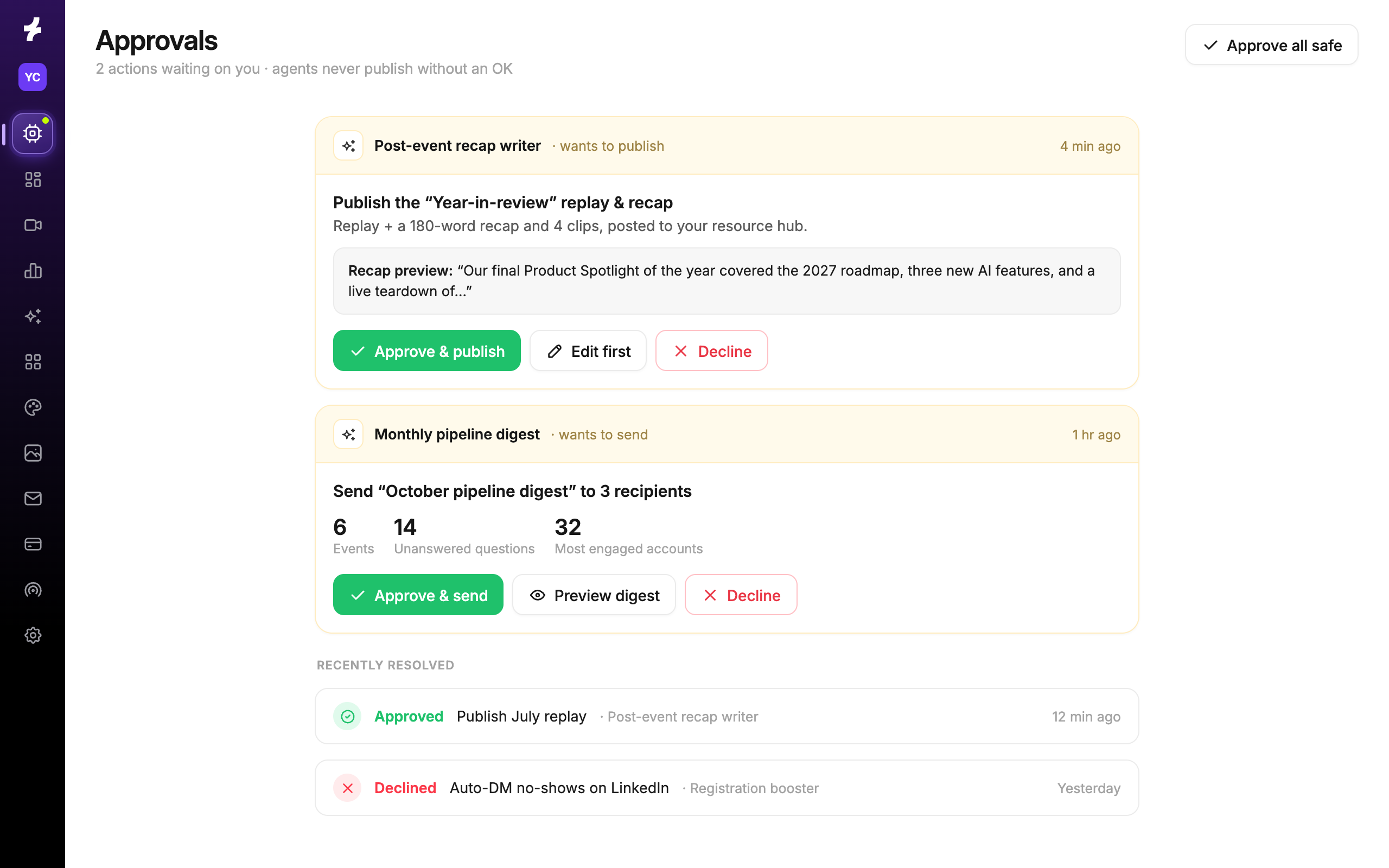
Every one of these workflows ends with a person. Agents read and draft on their own, but they can't send email, invite people, change events or push leads to your CRM until someone on your team approves.
This is only the starting point
Build, Scale and Convert are where most teams begin. They aren't the limit.
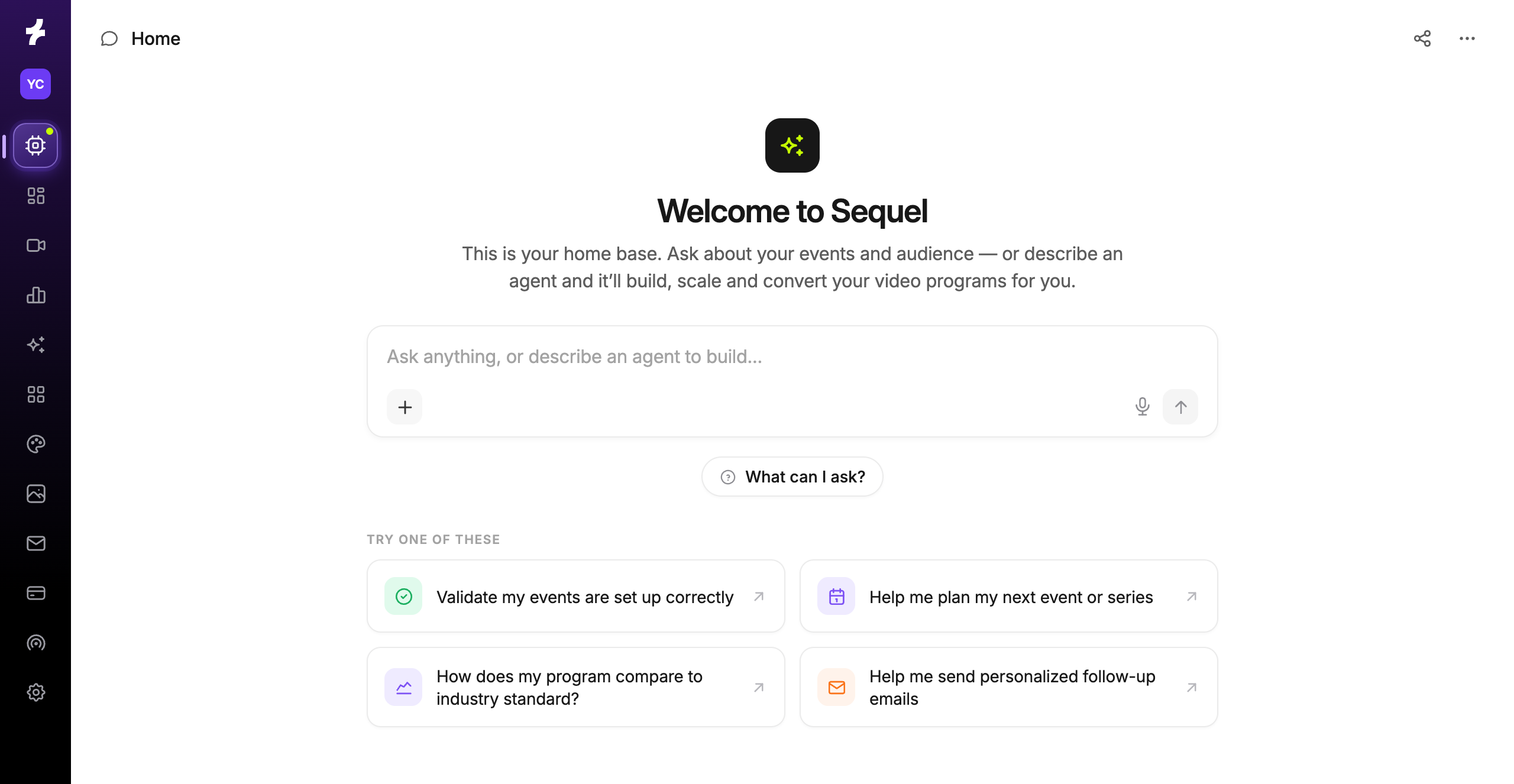
You can build an agent for any job your team repeats, inside Sequel, using the data and actions available in your account. Start with the task you dread every webinar and write the goal the way you'd brief a new hire. That could be an agent that briefs account executives on what a target account engaged with, one that proposes next quarter's series from recurring audience questions, or one that finds knowledge gaps in your customer education sessions.
If your team already works in Claude or another AI tool, Sequel's MCP server brings your events, transcripts, clips and attendee engagement into it. Pair that with the brand guidelines, personas and messaging your team already keeps there, and you're building in an environment that already knows your business.
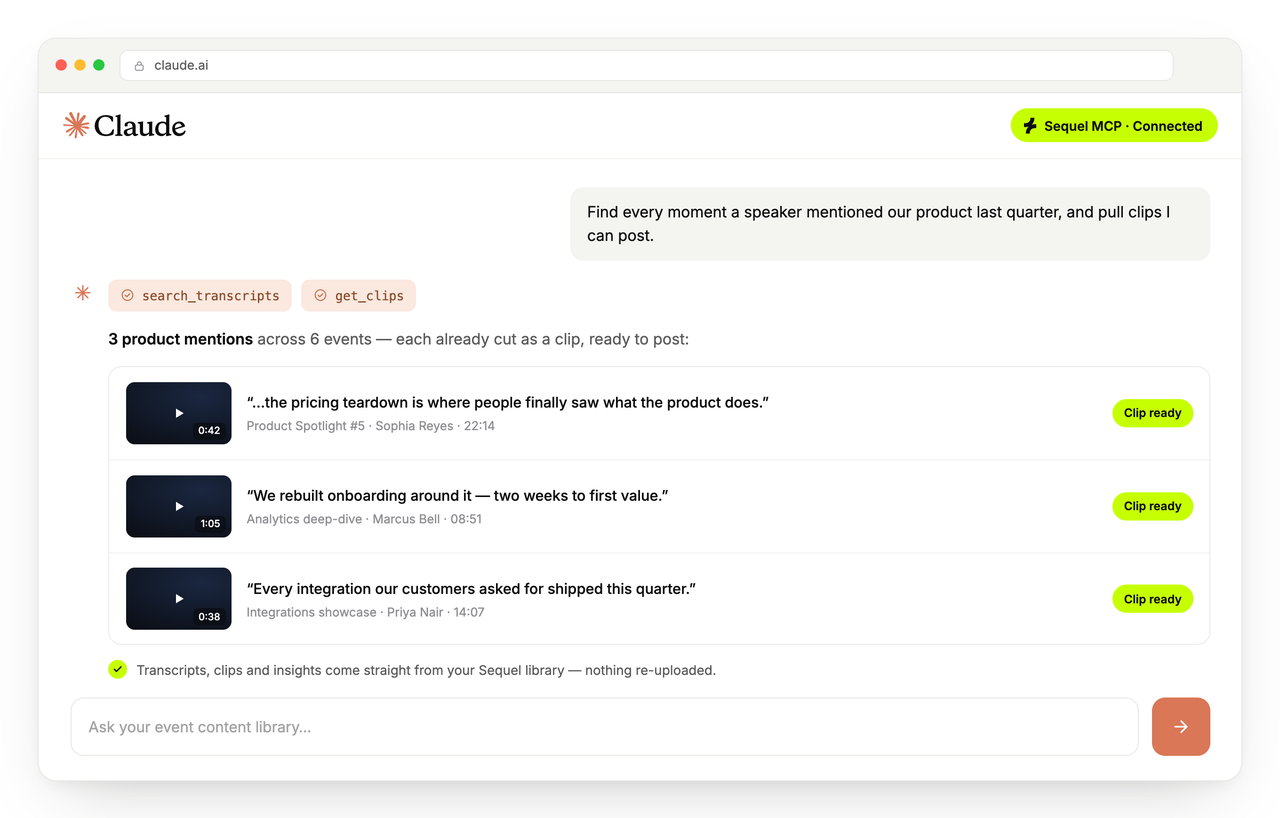
Unit21 did exactly that. Nick Bennett, their GTM engineer, connected Sequel's MCP to Claude alongside a shared knowledge base of the company's voice and positioning. From every 60-minute webinar, Unit21 now produces 19 assets, including persona blogs, nurture sequences, clips and a BDR call list, with about 3 hours of review instead of an estimated 29 hours of manual work. His advice: "Build the brain first, and the prompts get short."
We did it ourselves, too. After our Human Moments, Agentic Momentum summit, our BDRs used Sequel's MCP server and a Claude Skill to write personal follow-up for nearly 1,000 registrants. They reviewed a sample before launching, and generated more than $100,000 in net new pipeline within 24 hours.
Within the data and actions available in your account, the limit is mostly what you can imagine your webinar program doing.
Available today
Sequel Agents are generally available to every Sequel customer starting today. They're free today. Starting in March 2027, pricing will be based on the AI work Sequel completes, measured in actions.
Want to see what agents can do with a program like yours? Get a demo.