After a webinar, your team knows who attended and what they engaged with. But that doesn’t always tell sales which accounts to contact first. One attendee may be highly engaged but early in their research. Another may have shown less activity while their account is further along in the buying journey.
When event engagement and account intent live in separate tools, teams have to cross-reference them before they can prioritize follow-up. That takes time, and the event is already getting further behind them.
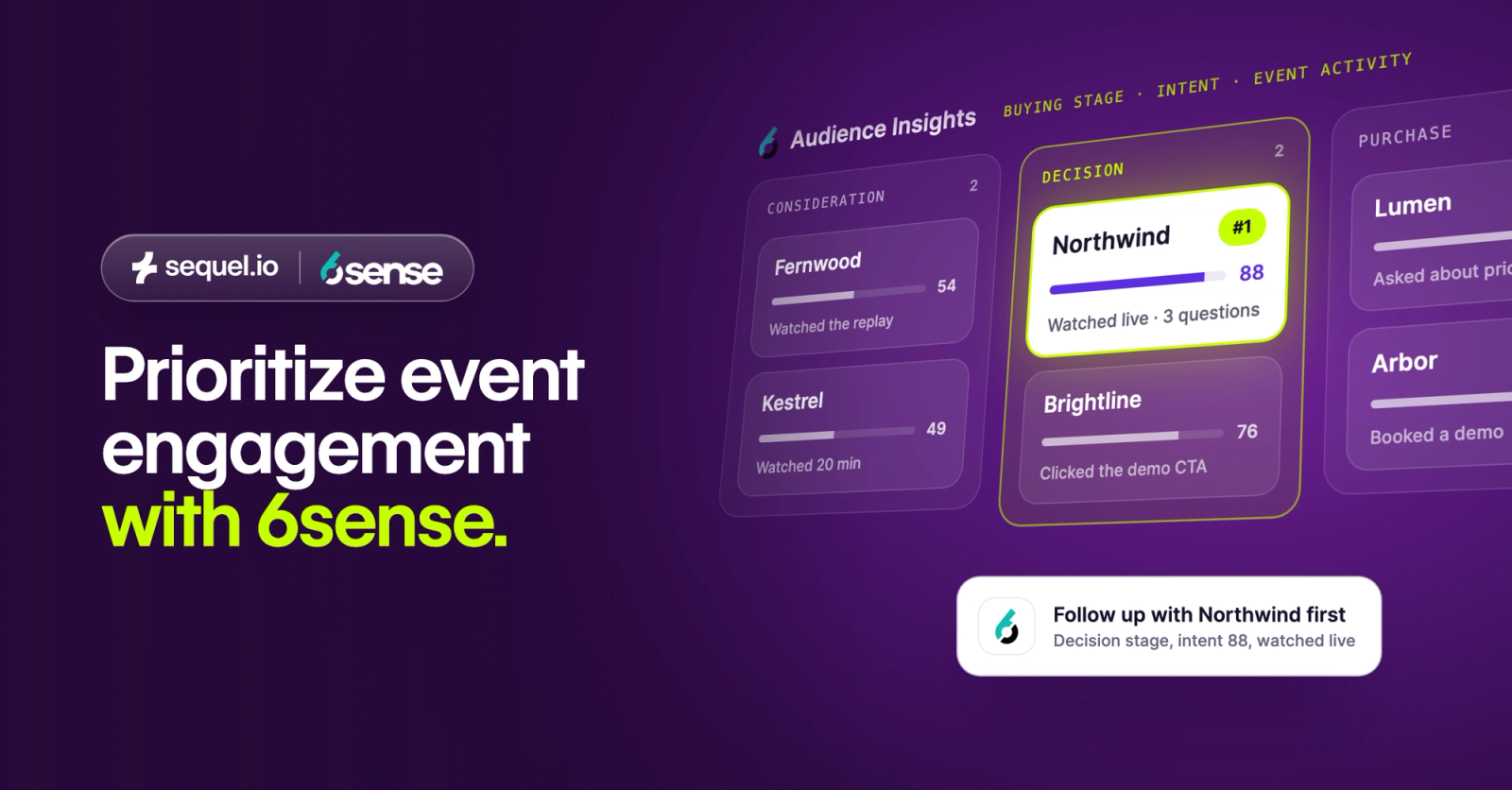
If you use 6sense, Sequel can now bring your account context into Audience Insights. Review event engagement alongside buying stage, intent score, profile fit, and segment membership to decide which accounts need attention first.
Together, Sequel and 6sense connect event engagement with account intent, helping teams focus on the right buyers and prioritize follow-up.
Event engagement is only part of the picture
Attendance is a useful signal, but it doesn’t show the full account context. Without that context, follow-up can end up ranking people by event activity alone. Accounts showing stronger buying intent may sit in the same queue as everyone else, while sales is looking for a clearer way to focus its time.
That gap matters most when pipeline is under scrutiny and sales teams need marketing to help prioritize outreach.
For teams that already run ABM on 6sense
This integration is designed for organizations that already use 6sense and want event engagement to work alongside their account strategy:
- ABM and demand generation teams that want to invite, personalize for, and measure the same accounts they already target in 6sense.
- Marketing Ops and RevOps teams that need event behavior and account intent in one view for scoring and routing.
- Sales and SDR leaders who want more context on engaged accounts before assigning follow-up.
If your team doesn’t use 6sense, Audience Insights still surfaces engaged accounts based on first-party activity across events, on-demand content, and your website. The integration adds your existing 6sense intent data to that view.
Cross-referencing account data slows prioritization
Without a direct connection, combining event engagement with 6sense data can require manual exports or one-off workarounds.
- Rebuild audiences. Your 6sense segments don’t automatically carry into Sequel targeting.
- Prioritize without account context. An event-only lead score can’t reflect the buying signals for the account behind that lead.
- Follow up later. Cross-referencing data takes time, and the window after an event keeps narrowing.
A custom data pipeline can close the gap, but it also needs to be built and maintained. The 6sense integration gives teams already using both platforms a more direct way to bring those signals together.
Bring your 6sense account context into Sequel
Connect your existing 6sense account to Sequel with an API token. Once connected:
- Use published 6sense segments as Sequel audiences. Apply them to targeted invites, personalization, or Sequel segmentation.
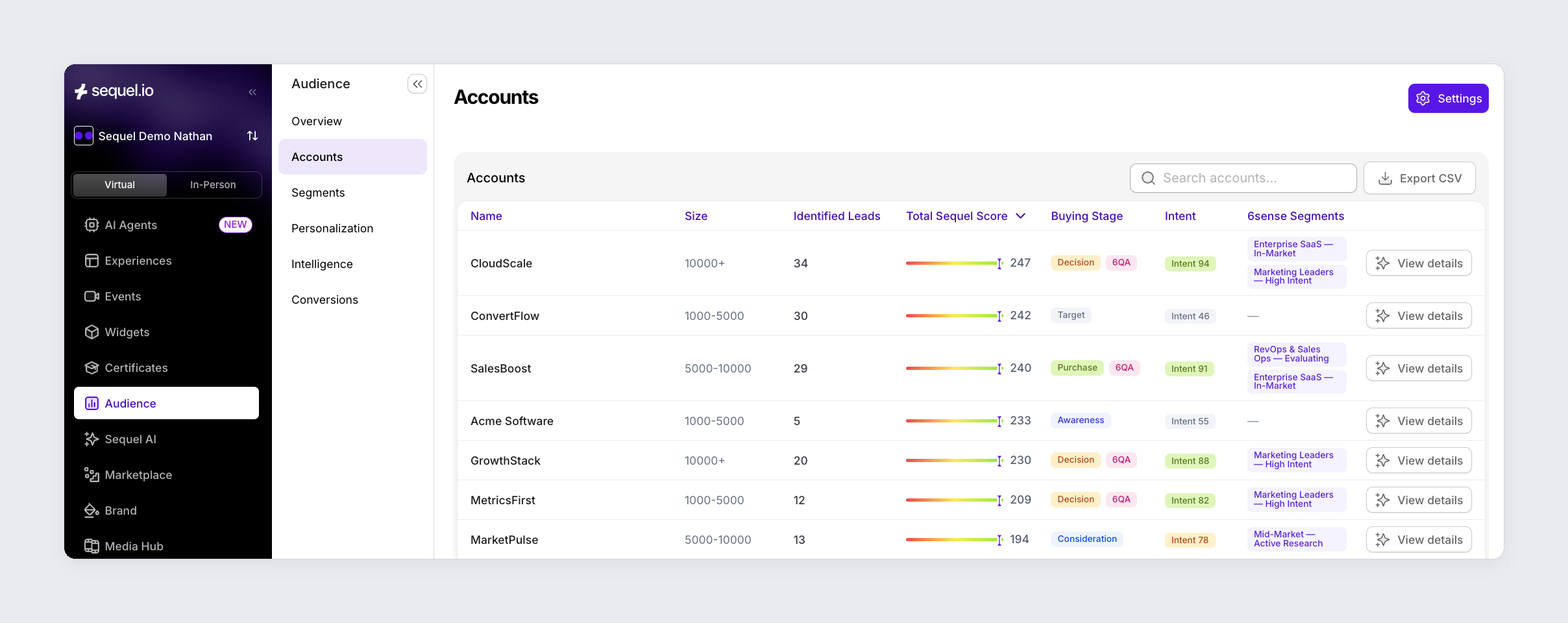
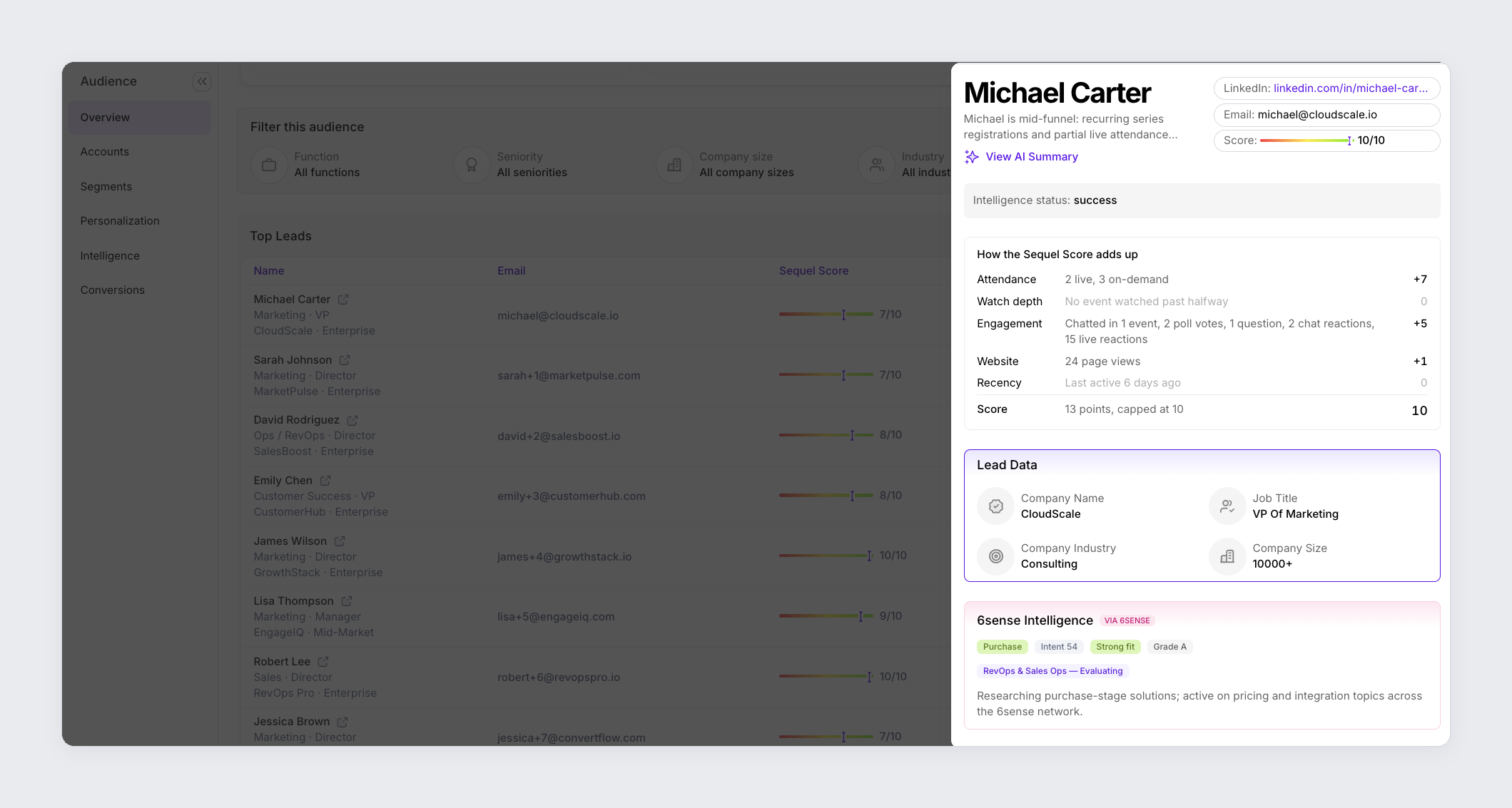
- See 6sense context in Audience Insights. Leads and accounts can include buying stage, intent score (0-100), profile fit (Strong, Moderate, or Weak), and segment membership.
The integration works alongside your existing Sequel workflows. Your webinars still run on your website, event engagement still flows into Audience Insights, and your native CRM integrations still sync activity. 6sense adds account-level buying context to the place where you review event engagement.
What your team can do with both signals
- Work from the accounts you already target. Use published 6sense segments as Sequel audiences without rebuilding lists or re-uploading files.
- Review intent alongside engagement. See buying stage, intent score, and profile fit near the event activity for that account.
- Include intent in the Sequel Score. If you choose, blend 6sense intent with event behavior to help prioritize follow-up.
- Add context to anonymous activity. When 6sense identifies an account behind anonymous engagement, that account context can appear in Audience Insights.
What this looks like in practice
Invite the accounts your ABM program is already working. An ABM team brings a published 6sense target-account segment into Sequel as an audience and uses it for an executive webinar invitation. The event and ABM programs work from the same account list.
Prioritize follow-up with buying-stage context. After a webinar, demand generation reviews engaged accounts in Audience Insights alongside their 6sense buying stage. Accounts with strong engagement and later-stage intent can be prioritized for sales follow-up.
Give SDRs a more complete score. RevOps chooses to blend 6sense intent into the Sequel Score, giving SDRs a view that reflects both event behavior and account-level buying signals.
Focus on accounts that fit. A sales leader uses 6sense profile fit to distinguish Strong-fit accounts from Weak-fit accounts and focus reps’ time on those that match the ideal customer profile.
Getting started
Connect your existing 6sense subscription in Sequel:
- In Sequel, go to Marketplace → 6sense.
- Enter your 6sense API token.
- Once connected, use your published 6sense segments as Sequel audiences.
- Open Audience Insights to view buying stage, intent score, profile fit, and segment membership on leads and accounts.
- Optionally, blend 6sense intent into your Sequel Score.
You’ll need an active 6sense subscription and an API token from your 6sense account. Learn more about setting up the 6sense integration in our help center.
Availability
The 6sense integration is live in the Sequel Marketplace and available to Sequel customers on a Business or Enterprise plan. Contact your Customer Success Manager if you have questions.
If you’re new to Sequel and want to explore this integration, get a demo.