Your team already uses Snowflake to understand what drives pipeline. But when webinar and event activity lives somewhere else, answering a simple question, like which engaged attendees are connected to an opportunity, can turn into data cleanup or a new pipeline for your data team to maintain.
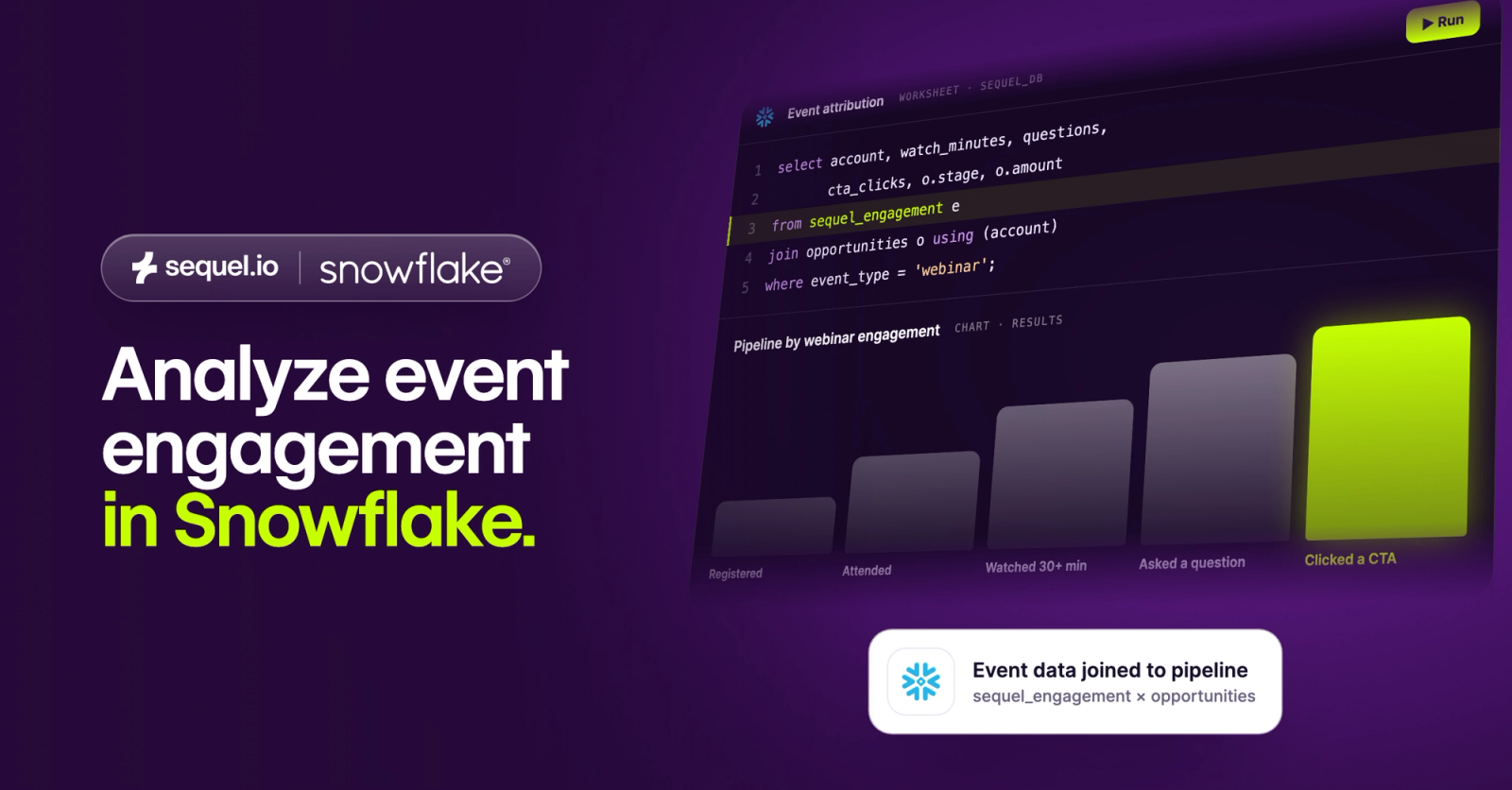
Sequel’s Snowflake integration brings registration, attendance, and engagement data into the warehouse your team already trusts. Sequel maps the data to your column names and delivers it to your Snowflake tables or an HTTPS endpoint you manage. Your team can then join event activity with CRM, product, and campaign data to see how people and accounts engage across the buyer journey.
Together, Snowflake and Sequel help your team connect event engagement with CRM, product, and revenue data to build a clearer picture of what drives pipeline.
Event engagement, alongside the rest of your go-to-market data
Webinars and virtual events give you first-party signals: who registered, who attended, how long they stayed, what they asked, and what they clicked. When that activity is available in Snowflake, your analysts can use it in the same attribution, account, and pipeline models they already rely on.
You can connect Sequel to Snowflake in two ways:
- Direct write to Snowflake (recommended): Sequel writes to the tables you choose through a managed ingestion service. Your team provides a dedicated Snowflake user and a role scoped to the target schema. Sequel handles field mapping, retries, deduplication, and a one-time backfill of past events. There’s no pipeline for your team to build or host.
- Push to your HTTPS endpoint: If your team already routes data through an ingestion endpoint, Sequel can send mapped payloads there through its Custom Integration product, using the authentication headers you specify.
Both options include an email and event ID key, so registration, live attendance, and replay activity for the same person and event can be joined cleanly. With direct write, Sequel merges updates using that key. With an endpoint, your team can use it to deduplicate records.
The event data your team needs
Sequel can send a detailed attendee record, including:
- Identity, event details, registration answers, and UTM parameters
- Registration and attendance status
- Live and on-demand minutes watched and percent viewed
- Chat activity, poll answers, questions, CTA clicks, and resource clicks
- Engagement score, lead score, AI engagement summary, and recommended next step
Polls, questions, CTAs, and resources are available up to 10 per event. You choose the column names: share your schema or column list, and Sequel maps the data to match. For direct write, Sequel can also propose a table layout and build the DDL.
Choose how and when data arrives
The default cadence is near real time, with one record per person per trigger. You can also choose a batch after each event or a fixed schedule, such as hourly or daily. Registration updates arrive as they happen; live attendance is sent when the event ends; replay viewing data arrives per viewing session; and lead intelligence data is sent after it runs.
If a destination is briefly unavailable, Sequel queues delivery and retries with backoff over several hours. Direct-write retries update the same record. Endpoint payloads include the key your team can use to deduplicate safely. Sequel can also backfill past events once during go-live, so your reporting can include historical activity from the start.
Designed for your security requirements
For direct write, Sequel uses Snowflake key-pair (RSA) authentication with a dedicated user and a least-privilege role scoped to the target schema. If your network policies require it, you can allowlist Sequel’s egress IPs. If your team prefers to control the connection, use an HTTPS endpoint and provide the authentication headers Sequel should send.
What you can do with event engagement in Snowflake
Retire a homegrown pipeline. If an engineer currently maintains a job that pulls Sequel data, reshapes it, and loads it into Snowflake, direct write can remove that handoff. Your team reviews the proposed table layout, then Sequel delivers new event data without someone maintaining a custom job.
Understand how events influence pipeline. Join attendance, minutes watched, questions, and CTA clicks with CRM and ad data in your attribution models. Your team can compare a deeply engaged attendee with someone who registered but never joined, using the models it already trusts.
Build account views around real buyer activity. Join attendee records to account data and use engagement scores or recommended next steps as inputs to your own models. See when multiple people from an account engage across recent events, and give sales a clearer picture of the account’s activity.
Capture replay engagement over time. A recording can keep attracting viewers weeks after the live event. Sequel sends data for replay viewing sessions, so your warehouse can reflect on-demand engagement beyond the initial post-event report.
Use the data path your security team already supports. If your organization routes vendor data through an HTTPS endpoint, Sequel can send mapped payloads there with the headers your team specifies. Event data can follow the same path as other sources.
Getting started
You must be on Sequel’s Enterprise plan to use this integration. Your Customer Success Manager will help your team choose the connection method and confirm a go-live date.
- Choose direct write to Snowflake or an HTTPS endpoint you manage.
- Share your target schema or column list. Sequel maps the fields and, for direct write, can propose the table layout and build the DDL.
- Provide the required access details. For direct write, this includes your Snowflake account identifier and region, a dedicated user with RSA key-pair authentication, a least-privilege role, and the target warehouse, database, and schema. For an endpoint, provide the HTTPS URL and authentication headers.
- Choose a delivery cadence: near real time, after each event, or on a fixed schedule.
- Test the end-to-end flow in a staging environment before switching to production.
Availability
The Snowflake integration is available on Sequel’s Enterprise plan. If your team reports from Snowflake, contact your Customer Success Manager to talk through the right setup.
If you’re evaluating Sequel, request a demo to see how event data can reach your warehouse.