Why Embed a Webinar on Your Website?
Embedding videos is far from a new phenomenon. But in 2026, with 98% of marketers planning to integrate AI into their webinar strategy, embedding webinars directly on your website has become essential for capturing first-party data and maintaining audience control.
Here's how website-native webinars help you:
1. Increase Brand Reach and Traffic
So, if you want to add to your SEO efforts, embedding webinars on your website is a great tactic. This approach aligns with the Intelligent Website movement, where websites become dynamic, data-driven engagement platforms rather than static brochures.
This also takes you closer to your target audience. No more disrupting your webinar attendees with other content on platforms like Facebook, LinkedIn, etc. When you embed webinars on your site, you keep your target audience on your website without losing them to distractions.
2. One Link Location
Instead of sharing multiple links for different events on different social platforms, you can host all your videos and on-demand replays on a dedicated landing page and direct your visitors to the page with a single link.
3. Improve Your Website Conversion Rate & Revenue
You draw in more visitors and increase the conversion rate by driving actions like more sign-ups, downloads, etc. Webinar landing pages embedded on your website can achieve conversion rates up to 51%, significantly higher than the industry average of 22%.
In fact, when you host your webinar on your website, you can even monetize it the way you want — no need to rely on third-party revenue options. Talk about improving your webinar's ROI!
Pro tip: Here's a handy guide about KPIs that can help you measure your events' ROI, along with a few simple ways to improve the ROI.
4. Ensure Brand Consistency
A tool like Sequel allows you to fully customize your webinar with modules focused on your brand's colors, logo, font, etc., ensuring your brand's personality is consistently reflected throughout the webinar.
5. Deliver a Frictionless Attendee Experience
Plus, integrating live chat and Q&As helps deliver an overall frictionless attendee experience, spurring attendees to take actions you want (for example, reserve your seat for the next webinar).
6. Host Safer Webinars
The platform also enables you to make the most of your website's existing security and integrate applications to experience streamlined workflows for admins and attendees.
7. Capture Audience Insights
Sequel marks both a tech advancement and a solid approach to analytics.
From live engagement stats to individualized user journey tracking, you can get all the insights you need to generate better future webinars. Sequel's Audience Insights platform provides real-time behavioral analytics that integrate directly with your existing CRM and marketing automation tools.
When you embed webinars using a platform like Sequel, AI integration automatically analyzes attendee behavior to generate actionable insights. Embedded webinars now offer intelligent features like automated content repurposing, real-time engagement scoring, and personalized follow-up recommendations, all tied to your website's existing data infrastructure.
How to Embed a Webinar on Your Website
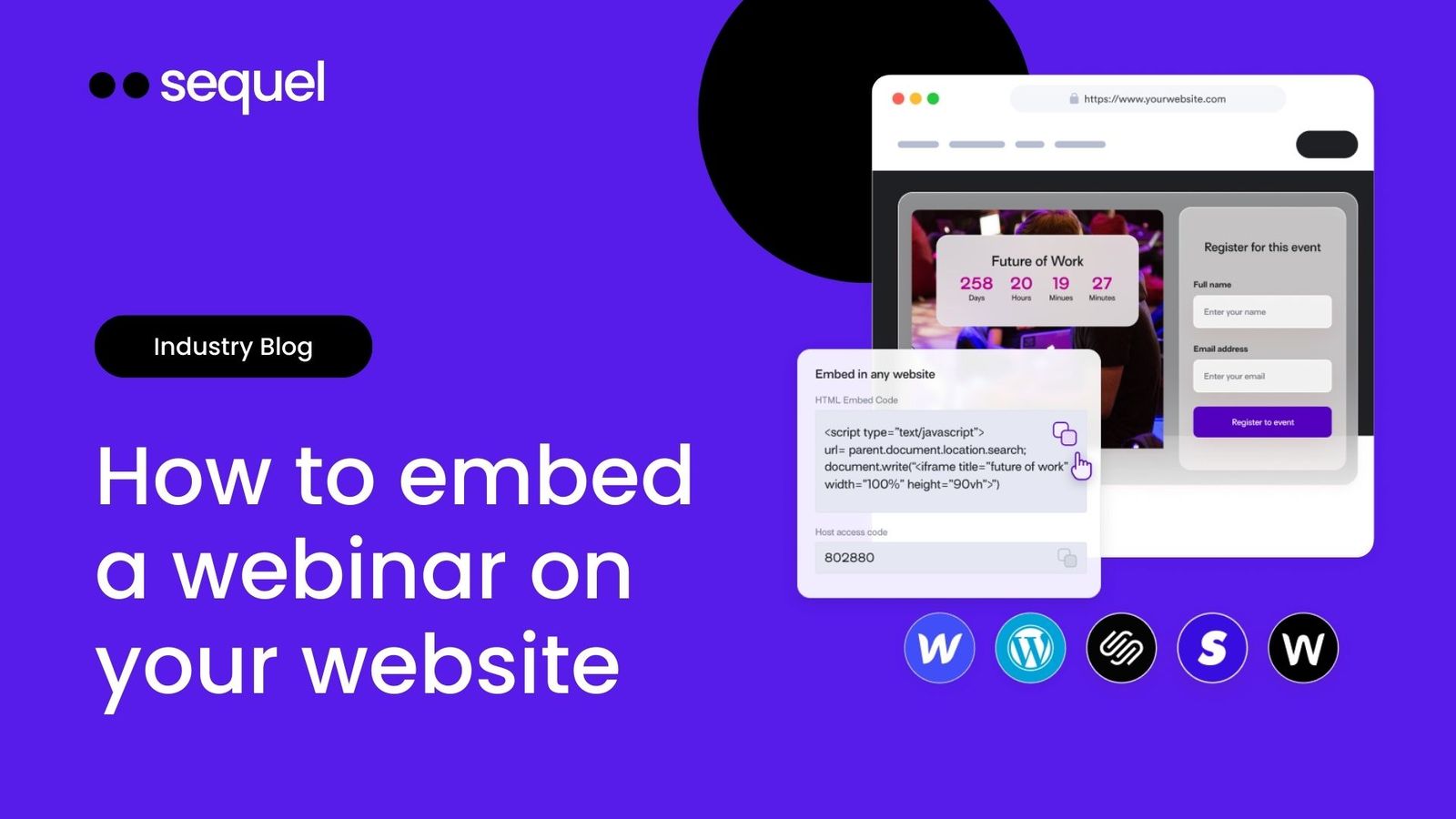
This is how you can host your internal and external audiences natively on your website by embedding webinars (live or on-demand) using Sequel:
1. Log in to Sequel and Create Your Event
2. Embed the Webinar on Your Site
3. Host Your Webinar
Platform-Specific Implementation
WordPress:
Custom Sites: Leverage Sequel's API for deeper customization and branded experiences that match your exact design requirements.
CMS Platforms: Direct integrations available for Webflow, ensuring your embedded webinar inherits your site's performance optimization and analytics tracking.
Maximize Reach
Other than capitalizing on attendee engagement during the event, you can use on-demand replays to maximize your webinar's reach and continue the conversation even after the event. It's a win-win.
Level Up Your Website with Embedded Webinars
Sequel lets you create engaging virtual and hybrid events with complete control over their branding. Using features like live polls, reactions, Q&A, and networking hubs, you can boost attendee engagement, build community, and let attendees feel like they are in action.
Break the stereotype of webinars as monotonous, one-way communication and turn them into stunning immersive experiences for your audiences to remember.
Ready to see embedded webinars in action? Book a personalized demo.