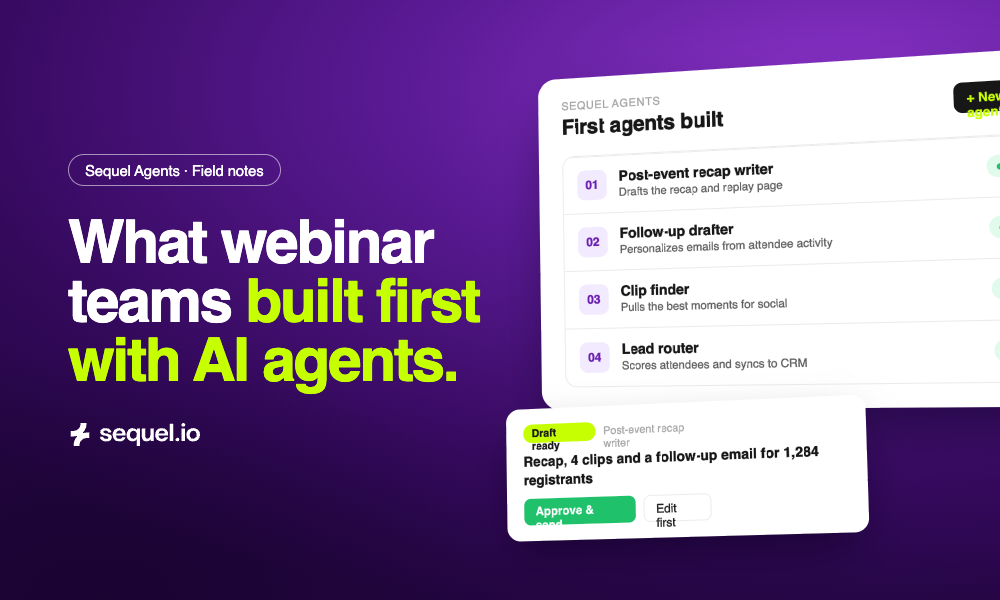
We launched Sequel Agents on November 2. Every customer got three prebuilt starting points (Build, Scale and Convert), plus the ability to build their own agent by describing a job in plain language - either directly through the Sequel platform or via our MCP connector.
We’re now three weeks in, and most of the agents customers are using are ones they built themselves. They've created 24 custom agents across 14 companies, all in the three weeks since launch. Each one started with a specific problem the team was tired of solving by hand.
These teams are early. They're testing what agents can do inside a webinar program and pointing them at the work that costs them the most time.
We read through every custom agent and the instructions behind it to see what they're solving for. Customer names and details are left out, but the problems will look familiar to anyone running a webinar program. Four patterns showed up, along with a few habits that are worth copying no matter which agent you build first.
1. Reports that nobody has to pull
Recurring reports were the most common job by a wide margin. Eleven of the 24 custom agents exist to pull numbers together on a schedule and send them to the right people.
Webinar reporting is tedious for reasons that have little to do with math. The numbers typically sit in different places (registration, live attendance, on-demand viewing, polls, surveys), and the questions leadership asks rarely match the default dashboard. So someone exports, filters and reformats the same data every month.
Here’s how we’ve seen Sequel customers put Sequel Agents to
- A customer education team runs four recurring onboarding series. Its agents pull registrations, live and on-demand attendance and survey responses for those series only, roll them up by quarter and year-to-date, and email the report on a schedule. One version leaves out the company's own email domains so employees who join don't inflate attendance rates. Another leaves hosts and presenters out of the attendance math.
- Two companies built monthly benchmark agents. On the first of each month, the agent compares their program to industry standards and recommends what to change.
- A marketing team asked for a review of every webinar it ran in 2026, minus internal town halls and a few other event types it didn't want counted. It wanted its strongest sessions, its most and least popular topics, and its "sleeper hits," meaning sessions with low registration but strong attendance or engagement. The agent turns that into recommendations for 2027 and reruns the analysis on the first Monday of every month.
- An onboarding team collects answers in three places: the registration form, live polls and a post-event survey. Its analyst agent takes a webinar name, combines all three into one summary with insights and recommendations, and sends it to whoever asked, in the app and in Slack.
Ideas to take it further: The sleeper-hit question is worth borrowing. Registration numbers mostly reflect how good the title and promotion were, while attendance and engagement show which topics the audience actually cares about. You can also ask a monthly report to list the audience questions nobody answered live and your most engaged accounts, which gives you a content backlog and a target list in the same email.
2. Turning each session into content
Every webinar produces an hour of expert conversation, and most of it never gets used again. It’s a classic marketing problem that is typically blamed on lack of bandwidth. Several customers built agents to change that.
- One company’s agent reads the full transcript after every webinar and drafts an article ready for its CMS, three LinkedIn posts for the company page, a post for the speaker, a newsletter feature and three to five captioned video clips. The agent also writes review notes with quotes, timestamps and any claims it cut, then posts the whole package to a Slack channel and tags the person who approves it. Nothing goes out without a person signing off.
- Another large SaaS company pasted its entire LinkedIn house style into the agent, covering hook types, bullet formatting, product naming rules and word count. The agent cuts clips under 90 seconds that focus on thought leadership rather than product pitches, applies brand captions, removes filler words and drafts posts that follow the style guide. Before each run, it asks which event to process.
- An education company has an agent that pulls the three most upvoted audience questions from each event, puts unanswered ones first, and outlines a LinkedIn post that answers each one.
Ideas to take it further: Audience questions are one of the best sources of content ideas you have, because people told you exactly what they want to know. Sequel can also publish a recap to the event's landing page as crawlable text, so the session keeps working for visitors and for search and answer engines long after the replay stops getting views.
3. Follow-up that sounds like a person wrote it
The generic "thanks for attending, here's the replay" email is easy to send and easy to ignore. Two customers built agents to do better.
- The education company built an agent that drafts a personal email for every registrant based on what that person did: whether they attended, how long they stayed and what they asked. Each email is written in the founder's voice, quotes the person's question and answers it in a sentence or two, then links the replay. Anyone who asked about one of the company's products gets setup steps, and anyone who had already visited that product page gets a line acknowledging it. The agent writes drafts only, and a person approves them before anything is sent.
- A software company built a post-webinar CRM handoff. After every webinar, the agent pulls three key points from the transcript, splits registrants into attended and no-show, and writes the key points, attendance status and event date to contact properties in the CRM. It also checks that Sequel's CRM sync went through and emails the team about anything that needs to be fixed by hand.
Ideas to take it further: Follow-up works best when sellers have the same context as marketing. An agent can send each account owner a Slack brief on what their engaged attendees watched and asked, and flag open deals where someone attended. No-shows can get the key takeaways and their replay link instead of a generic "sorry we missed you."
4. Getting events ready and catching problems early
Some of the most useful agents never touch content at all. They handle the operational work that has to happen before every event.
- A professional association runs a check every morning at 9am. When a published webinar is about three days out, the agent posts to Slack with registrations against goal, new signups in the last 24 hours, a red, yellow or green status and the confirmed speakers. When no event qualifies, it posts nothing.
- A software company sends presenters a Monday briefing in Slack and email with the questions registrants submitted when they signed up for that week's sessions, so speakers know what the audience wants before they go live.
- Another software company built an agent for launching new series. It clones a template series, including its settings, registration forms, emails, CRM mappings and surveys, then creates EMEA, North America and APAC sessions with the time zone in each title. It keeps everything private, leaves presenter fields blank for the team to fill in, and presents a readiness plan for approval before anything publishes or any CRM sync turns on. The team saved it as the default process for future series.
- The customer education team built an agent to prepare the polls for its next session: five polls in the first five minutes, each closing after five minutes, plus the feedback survey at the 55-minute mark.
Ideas to take it further: Sequel's Event Check runs 72 and 24 hours before each event and looks at registration, emails, the landing page, the embed, hosts and CRM sync, then posts only the problems to Slack with a fix for each one. Two weeks out, another agent can give each rep a list of accounts that engaged with related topics and a drafted invite to send.
Habits worth copying
I love these examples because they show what’s possible when teams running webinars use agents to solve challenges that are time consuming, but repetitive. And I think there’s a lot we can learn from these early adopters.
- Start with what you already have. One company pasted in a full style guide, and another wrote a fill-in-the-blanks template for new series. If your team already has a style guide, a checklist or a reporting template, the agent can use it as its brief.
- Be specific about what counts. The strongest reports spelled out exclusions: internal email domains, hosts and presenters, town halls, events with certain words in the title. An agent will count whatever you don't tell it to leave out, the same way a new analyst would.
- Put a person at the approval step. Four of the 14 companies wrote "draft only" or "approval before publishing" into their instructions. That matches how Sequel Agents work by default, since they can read and draft on their own, but they can't send email, change events or push leads to your CRM until someone on your team approves.
- Plan to revise it. One company rewrote its follow-up agent four times in two days because the first drafts were too generic, and each version told the agent more about what a good email looked like. Another switched its registration check from hourly to daily and told it to stay silent when nothing qualified. Five of the customer education team's seven agents have been archived as the team reworked its reports into newer versions. The lesson here - treat your first agent as a first draft, and continue to refine and iterate with feedback. Investing this time up front will produce much smarter, better agents down the line.
Where to start
These agents work because the data they need sits in one place. Sequel runs your webinars on your own website, so registrations, attendance, polls, surveys, Q&A, transcripts and CRM activity are all available to the same agent alongside information on the website pages your webinar registrants have visited, at the contact and the account level.
If you're deciding what to build first, pick the task you dread after every webinar and describe it the way you'd brief a new hire, including what it covers, what to leave out, where the results go and who approves them.
Want to see what agents could do for your webinar program? Get a demo.