Your webinar creates a valuable moment: people have just spent time with your team and your ideas. But by the time attendee data is exported, cleaned, enriched, and routed, that moment may have passed. Without enrichment, it can be hard to know which attendees are ready for a conversation.
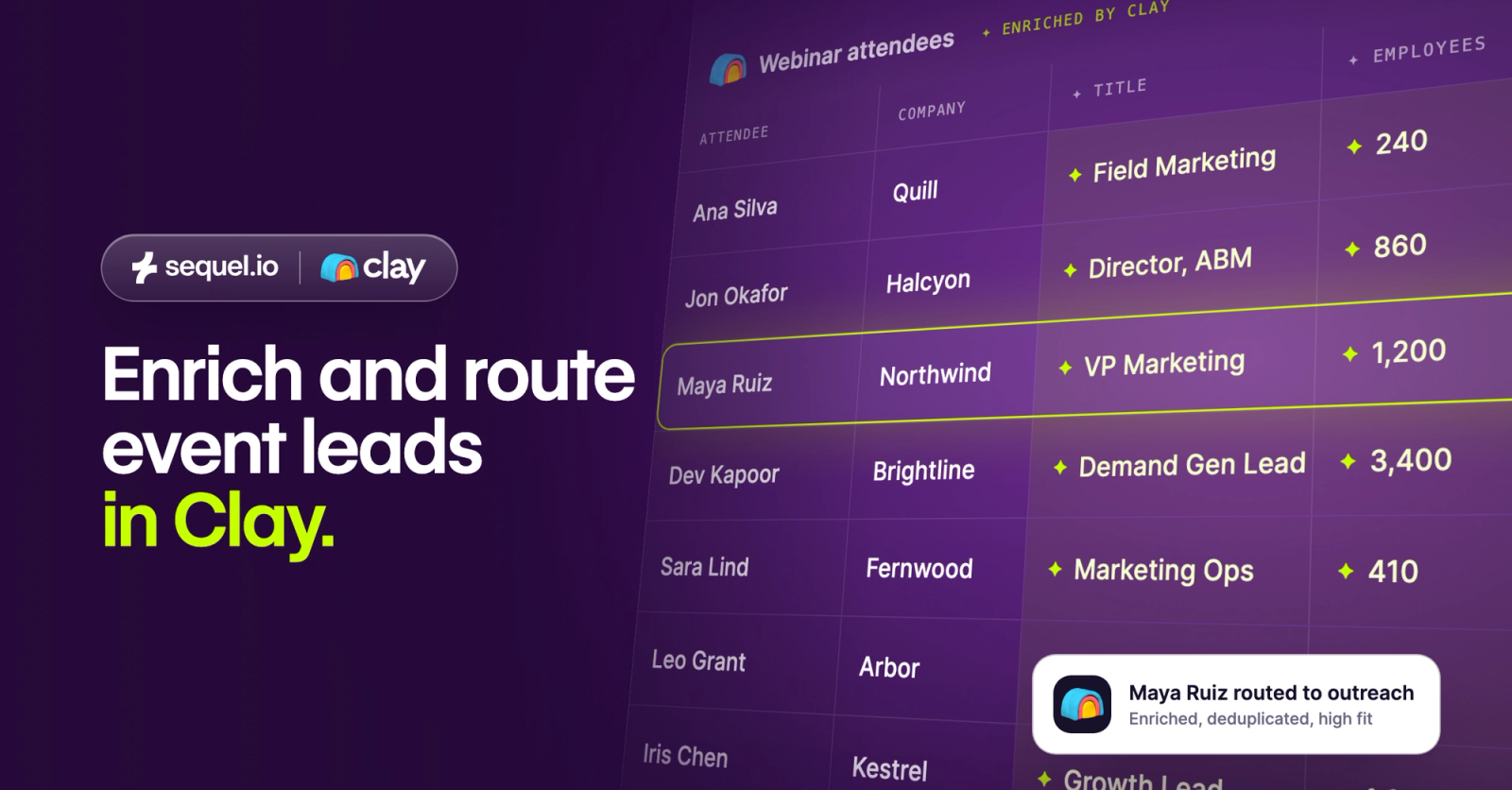
If your go-to-market workflows already run in Clay, you can now bring Sequel event, registrant, and attendee data into a Clay table, so it’s ready for the enrichment and routing logic your team already uses. Clay built and maintains the integration on Sequel’s public API. Clay also runs its own events on Sequel, so its team uses both sides of the connection.
Together, Clay and Sequel help teams turn event engagement into timely, enriched, and actionable go-to-market workflows.
Event follow-up is only as timely as the data behind it
Attending a webinar is a meaningful signal, but attendance alone may not tell sales who to contact or what to say. Teams often need to add context (like role, company details, or verified contact information) before they can qualify and route an event lead.
When that process starts with a manual export, follow-up depends on someone remembering to download the list, clean it up, and upload it into the right workflow. The work may seem small after one event. Across a weekly webinar series, regional sessions, and an on-demand library, it becomes a recurring operations task, and can delay the next step while interest is still fresh.
For teams that already use Clay to qualify and route leads
This integration is designed for teams that want event data to move through their existing Clay workflows:
- Growth and demand generation teams that run webinars regularly and want to qualify attendees while the session is still fresh.
- RevOps and Marketing Ops teams that enrich and deduplicate records before they reach the CRM.
If your team doesn’t use Clay, Sequel’s native CRM integrations and Audience Insights already support moving and acting on event data. The Clay integration adds a path for teams that want Clay in that flow.
Manual exports add friction to follow-up
Without a direct connection, event data often reaches Clay through a series of handoffs: someone exports the attendee list, cleans the file, uploads it to a Clay table, and starts enrichment. Then they repeat the process after the next webinar.
- Follow-up waits on a manual step. Enrichment can’t start until someone runs the export.
- Files create more work. Every event adds another file to manage and another chance for records to be handled inconsistently.
- Recurring programs don’t scale well. A monthly webinar may be easy to manage; a weekly series, regional sessions, and an on-demand library turn exports into ongoing operations work.
A custom integration can solve the handoff, but it also needs to be built and maintained. For teams already working in Clay, the marketplace integration provides a direct path into the workflows they have there.
Bring Sequel event data into the Clay workflow you already use
The integration works alongside Sequel’s other data paths. Sequel continues to run your webinar on your website, capture registration and engagement, and sync to your CRM through native integrations. Clay gives teams another option when they want event data to pass through Clay enrichment and routing first.
The exact actions and fields available depend on Clay’s connector. Check the Sequel listing in Clay for the current set.
What changes when event data reaches Clay
- Start with event data. Bring registrants and attendees into Clay directly, without downloading, cleaning, and re-uploading a file after every session.
- Apply the enrichment you already trust. Use your Clay waterfall for details such as title, company, headcount, funding, tech stack, and email verification.
- Keep the event in context. See that the lead came from Sequel event data as you qualify and route them.
- Send qualified leads where your team works. Route enriched records to your CRM or sequencing tool, or write them back to Sequel through the API. Your routing rules stay in Clay.
What this looks like in practice
Follow up while the webinar is still fresh. After a webinar, a growth team brings attendees into its Clay table, runs its enrichment waterfall, and sends qualified contacts into outreach. The team can act on attendee signals without waiting for someone to prepare an export.
Keep incomplete records out of the CRM. A team with strict CRM standards enriches and deduplicates event leads in Clay before routing them to the CRM, using Sequel attendance as the trigger. The CRM receives records that meet the team’s requirements.
Getting started
Connect the integration in Clay, there’s nothing to install or configure in Sequel:
- Open Clay’s marketplace and find the Sequel integration.
- Add it to your Clay workspace.
- Log in with a Sequel account that can access the company whose event data you want to use.
- Choose that company, then add Sequel data to a Clay table.
Clay built and maintains the integration, so contact Clay about the connector, field mapping, or Clay credits. Contact Sequel about your Sequel login or the event data returned by the API.
Learn more about how to set up the Clay integration here.
Availability
The Clay integration is available to all Sequel customers. To talk through how the integration fits with your enrichment workflows, contact your Customer Success Manager.
If you’re new to Sequel and want to explore this integration, get a demo.