Most virtual event checklists tell you to pick a date, test your microphone, and send an email. That's not a framework. That's a to-do list for a meeting.
A virtual event checklist built for revenue looks different. It accounts for platform architecture, CRM integration, engagement design, contingency planning, and post-event content repurposing. It treats the event as a connected growth channel, not an isolated broadcast.
This virtual event checklist covers every phase from four weeks out through post-event content production. It's built for marketing teams who care about pipeline (not just attendance). Just look at how companies like Mutiny use a rigorous planning process to generate 42x ROI from their event series.
That doesn't happen by accident. It happens by following a framework.
Phase 1: Pre-Event Planning (4-6 Weeks Out)
1. Goals, KPIs, and Budget
First, set registration and attendance benchmarks.
Use your historical data, not generic industry averages. Your audience, your industry, and your promotional reach determine realistic targets.
Second, define intent signals before the event.
Decide exactly which actions indicate buying interest. A poll response or resource download carries more weight than passive watch time. Document these signals early so your scoring model is ready when the data arrives.
Finally, align with sales before you promote. A
gree on the exact criteria that makes a lead sales-ready. No mystery fields. No arguments about data quality. Sales needs to know what behavior triggers a follow-up before the first registration comes in.
2. Platform and Tech Stack
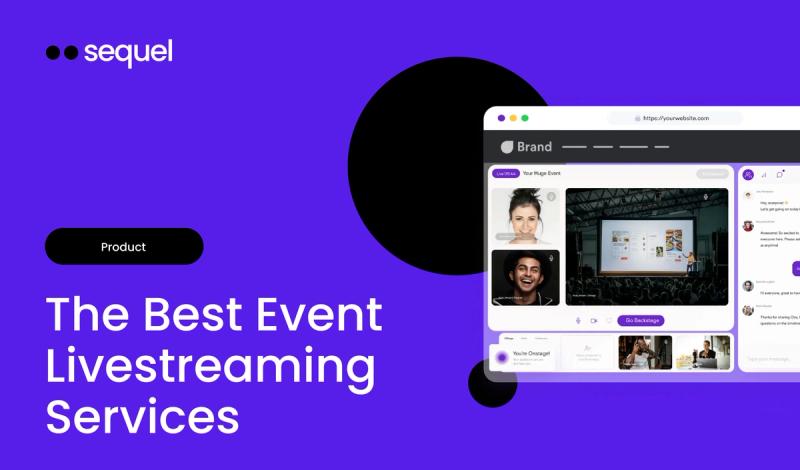
- Host on your own website. Choose a system that lets you embed the webinar directly into your CMS. Attendees stay surrounded by your product pages, pricing, and conversion paths. Sending buyers to a third-party destination breaks attribution, conversion tracking, and learning.
- Run the full lifecycle on your domain. Use Live Sessions so registration, viewing, and follow-up all happen on your owned properties. This contributes to organic traffic and SEO instead of siphoning it to an external vendor.
- Verify CRM integration. Ensure your platform pushes clean, configurable data directly into Salesforce, HubSpot, or Marketo in real time. If your RevOps team has to manually map fields from a CSV export, your follow-up is already too late.
3. Promotion Timeline
Four weeks out: Publish the registration page on your domain. Send the first email invitation to targeted segments.
Two weeks out: Activate social media promotion. Give your sales team tracking links for personalized outreach to target accounts.
One week out: Send a reminder focused entirely on the specific problem the event solves. Don't just list speakers. Tell people what they'll walk away knowing.
Day of: Send the final live notification. For a deeper breakdown of this cadence, review these tested strategies for promoting a webinar.
4. Accessibility Checklist
This isn't optional.
Enable real-time translation: Make sure your platform supports live captioning and translations so global participants follow along in their preferred language.
Design high-contrast visuals: No light gray text on white backgrounds. All slides and visual assets must be legible for visually impaired attendees.
Offer registration accommodations: Include a field on your registration form asking if attendees require specific accessibility support.
Phase 2: Assemble the Team
1. Producer
- Manage the run-of-show: Cue speakers, trigger polls, push CTA banners at the right moments. Everything the audience sees is this person's responsibility.
- Monitor the clock: Send private messages to speakers when they have five minutes left. Keep the host on schedule.
- Handle transitions: Move attendees smoothly between main stage and breakout rooms if you're running workshops or networking segments.
2. Host
- Frame the narrative: Introduce speakers, establish the core problem, and set the tone for the session.
- Field questions: Take curated questions from the moderator and present them naturally to speakers.
- Drive the next step: Verbally direct the audience to click CTAs and resources appearing on screen. The host is the bridge between content and conversion.
3. Chat Moderator
- Seed the conversation: Drop a welcome message and an icebreaker question the moment the room opens. Don't wait for someone else to go first.
- Filter Q&A: Identify the highest-value questions and pass them to the host in a private channel. When someone asks about pricing, that signal needs to reach the right AE.
- Share resources: Drop relevant links into chat when speakers mention specific concepts. Give the audience something to click on while interest is high.
4. Technical Lead
- Run tech checks: Test audio, video, and screen sharing with all speakers 30 minutes before going live.
- Troubleshoot live issues: Assist attendees and speakers with connectivity problems in a private support channel so the broadcast isn't interrupted.
Phase 3: Live Execution and Contingency Planning
1. Live Engagement Checklist
First, launch an early poll.
Get the audience clicking within the first five minutes. This establishes a habit of interaction that carries through the session.
Then, push timely CTAs.
Display a banner with a clickable button when interest peaks. Drive to a free trial, a relevant report, or a demo request while intent is high.
Next, share downloadable resources.
Make slides or whitepapers available directly in the event interface. Track exactly who downloads them.
Finally, trigger a post-event survey.
Capture immediate feedback the second the session concludes. For more tactical engagement ideas, explore these methods for driving virtual event engagement.
The Contingency Kit
- Internet drops. Every speaker has a mobile hotspot ready and tested. The producer has a holding slide prepared: "Experiencing technical difficulties. Hold tight."
- Speaker no-shows. The host has backup discussion points and an extended Q&A segment ready to fill time naturally.
- Silent audience. The moderator has 3-5 pre-written seed questions to ask the host, sparking conversation without making the silence obvious.
- Demo crashes. Never rely solely on a live software demo. Have a pre-recorded walkthrough loaded and ready to play. Audiences won't know the difference. A frozen screen is what they notice.
Phase 4: Post-Event Follow-Up and Content Engine
Analyze Data and Score Leads
Review event dashboards. Look at common event metrics like registration trends, average watch time, and drop-off points.
Identify account-level intent. Look for companies where multiple people attended, asked questions, and clicked links. That pattern is a buying committee showing its hand.
Activate behavioral lead scoring. Assign points based on actual engagement. Ten points for attending live. Five for answering a poll. Three for downloading a resource. Push high-intent leads directly to sales for immediate follow-up. This is how you accurately measure the ROI of your program.
Content Repurposing Checklist
Generate the transcript. Use high-quality local recordings to create an accurate, readable transcript.
Create video chapters. Break the replay into AI-generated segments so on-demand viewers jump straight to topics they care about.
Draft written content. Transform the transcript into a polished blog post or article tailored to your brand voice.
Extract social clips. Pull the most impactful quotes and insights into short video clips for LinkedIn.
Embed the replay on your site. Ensure the on-demand video lives on your domain immediately after the session ends. It continues capturing first-party data from new viewers indefinitely.
From Checklist to Pipeline
But you can't capture that pipeline if your highest-intent buyers are sitting on someone else's domain. Renting an audience creates blind spots in your tracking and surrenders control of the experience.
Look at your current setup. Map exactly where registration, live viewing, and post-event follow-up happen. If those touchpoints don't live on your own domain, your virtual event checklist has a gap that no amount of engagement tactics can fix.
The infrastructure comes first. Everything else builds on top of it.