Small-group conversations are what make workshops, training cohorts, advisory boards, and community events so valuable. But in a virtual event, getting people into rooms and keeping the session moving can be harder than it should be.
Separate tools and links disrupt the flow. Hosts have to manage assignments, late arrivals, timing, and regrouping while facilitators try to keep each conversation on track. Attendees lose momentum, and the event can start to feel more like logistics than connection.
Sequel’s rebuilt Networking Hub keeps those conversations inside your event, on your website. Plan groups ahead, guide breakouts live, and bring everyone back together without sending attendees somewhere else.
Why small-group sessions fall apart
Teams often have to piece networking together across tools. Breakouts may require a separate meeting app, another link, or a window attendees struggle to find again. Customers have also told us it’s difficult to assign people to rooms ahead of time.
The friction adds up quickly:
- Pre-assigning groups means spreadsheets before the event and manual moves during it.
- Late arrivals and people who reconnect can end up in the wrong room, or no room at all.
- Without room-specific chat, polls, or Q&A, facilitators have to improvise.
- Hosts can struggle to check in on rooms, add time, or bring everyone back together.
- Attendees leave your branded experience for a generic meeting window.
Facilitators spend time managing logistics instead of guiding the conversation, and attendees lose momentum.
Networking and breakouts, right inside your Sequel event
We rebuilt the Sequel Networking Hub and added breakout rooms with host controls. Both run inside the Sequel embed, using the same stage technology as Sequel live sessions. Attendees stay in your branded experience, on your website, throughout the event.
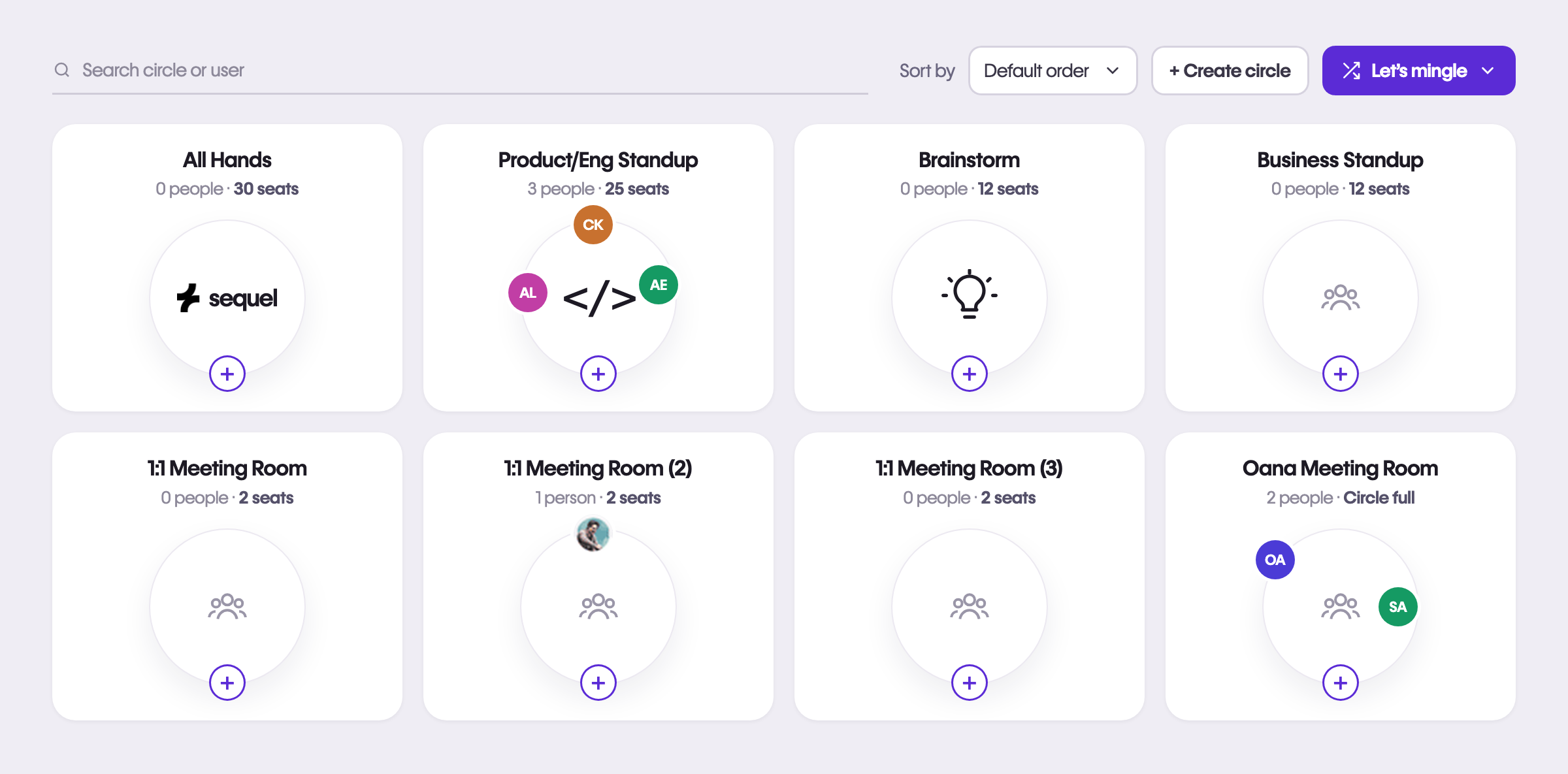
Here’s how it works:
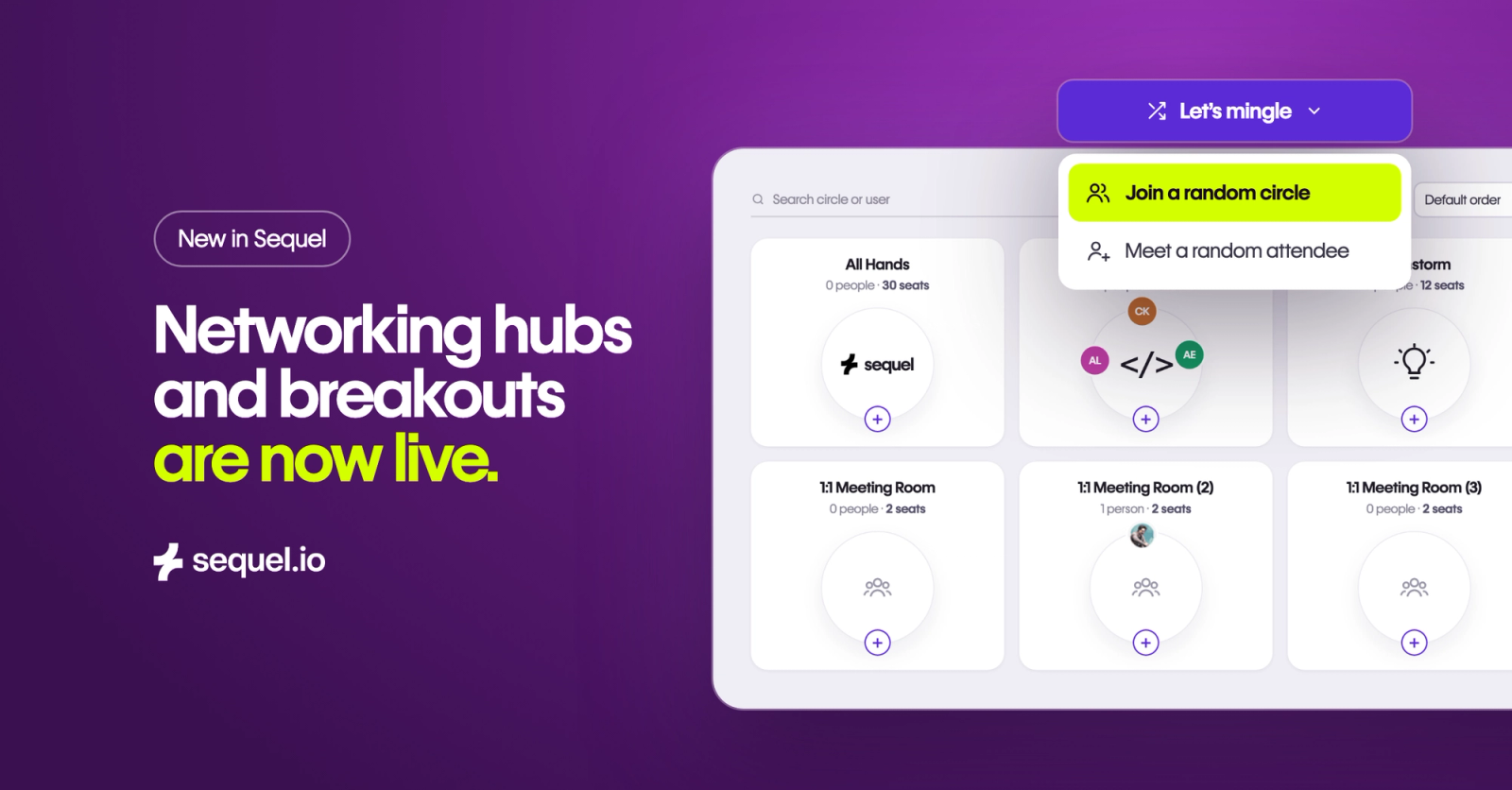
- A hub built for conversation. The hub is a lobby of circles: small video rooms, each with its own chat, polls, and Q&A.
- One-step transitions. Hosts can move everyone from the main stage into the hub and back without reloading the page.
- Breakouts you can plan and manage live. Create rooms and assign attendees before the event, then move, shuffle, time, and recall them during the session.
- A hub that can run on its own. Launch the hub from its own URL and use registration, passcodes, or join codes for programs that don’t begin on a main stage.
Circles use the same stage technology as Sequel live sessions. Hub hosts and circle owners can change layouts, add overlays such as banners, lower thirds, and logos, and play video in the room.
What your team can do now
Plan groups before the event
Create rooms in the Sequel admin and assign registrants manually, distribute them evenly with auto-assign, or import a CSV matching each email to a room. Unknown and duplicate emails are flagged, so you can review them before the event. Your groups are ready before attendees join.
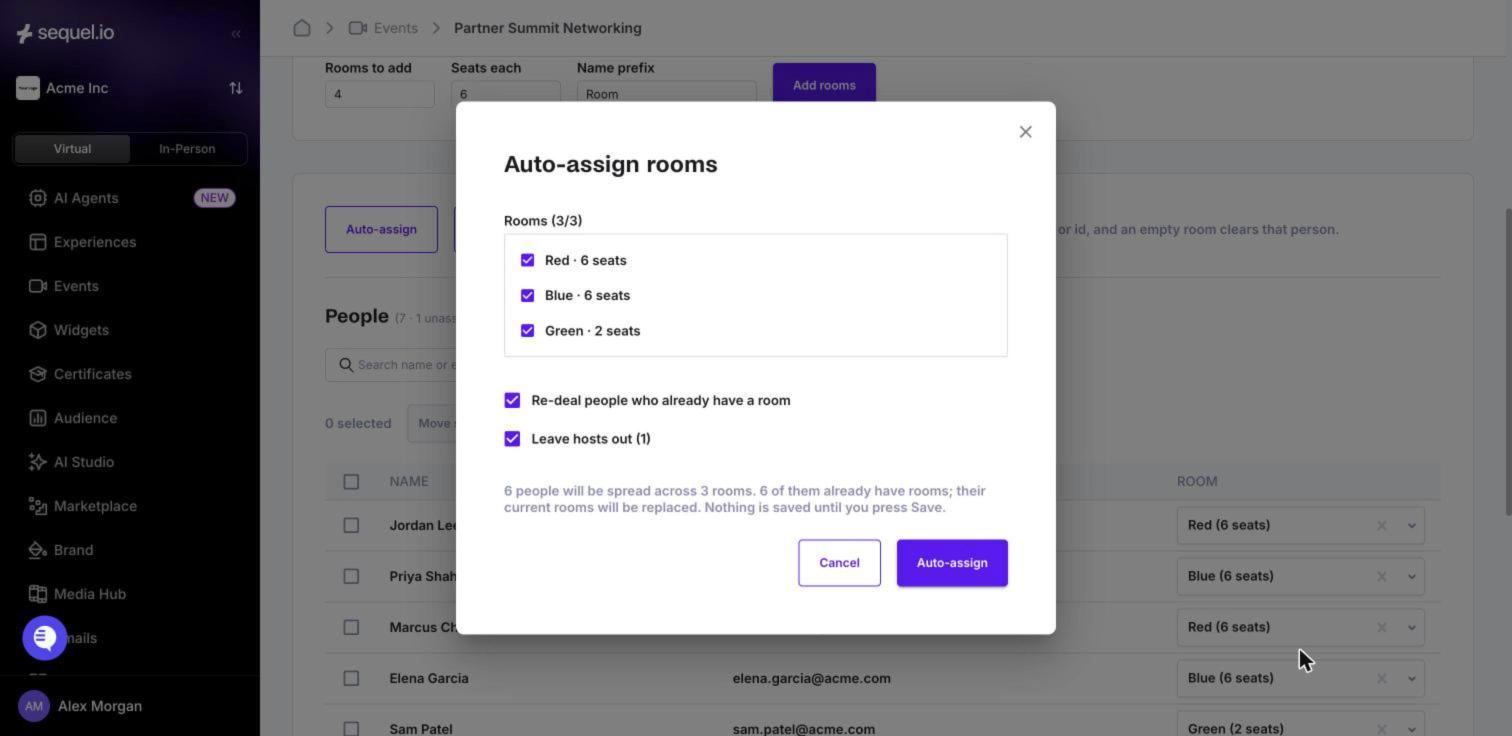
Run breakouts the way you would in person
Open breakouts in automatic mode, which moves attendees into rooms, or prompt attendees to join their assigned room. Lock rooms to keep people with their group, or let attendees choose where to go.
Move one person, selected people, or a whole room. Set a timer everyone can see, add five minutes when needed, and send a message to every room. When it’s time to regroup, recall everyone to the main stage or bring them together in one circle.
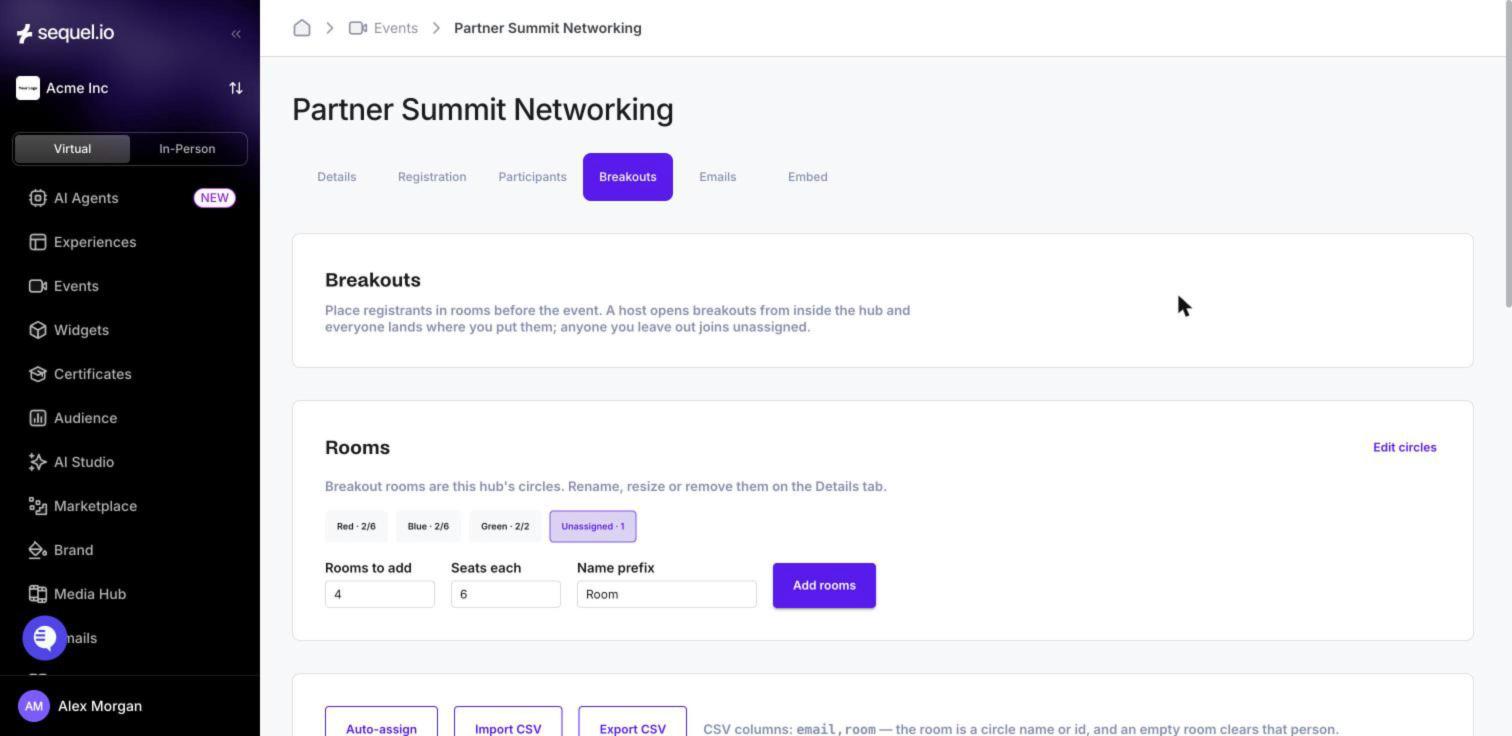
Keep attendees with their group
Attendees who reload or arrive late return to their assigned room. Late registrants are flagged in the admin. If someone joins with a different email, they appear as unassigned in the host console, where you can place them.
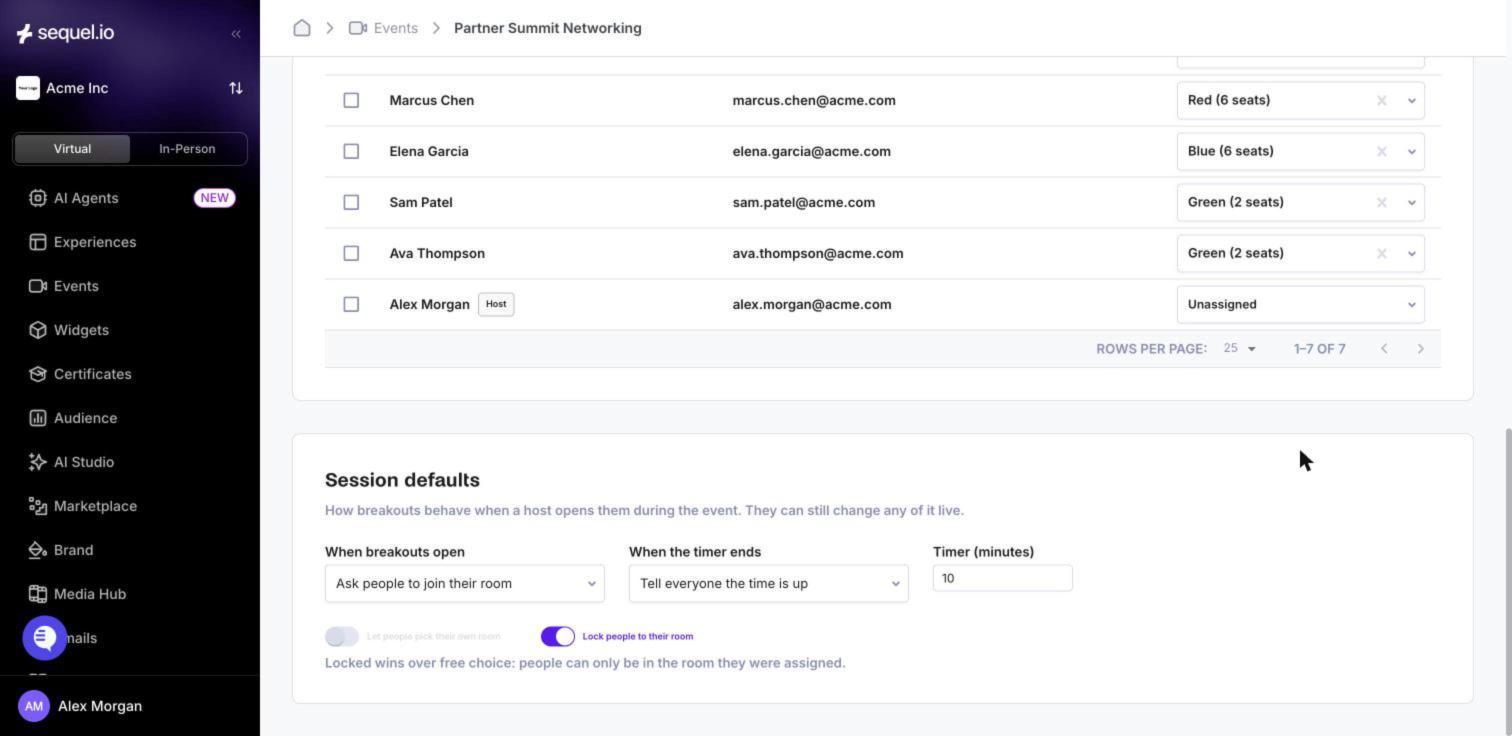
Let attendees network on their terms
Attendees can browse topic circles, join one with an open seat, or start their own circle with 2 to 10 seats, if hosts allow it. Mingle features can place attendees in random circles or introduce them one-to-one, with optional time limits for short, structured conversations.
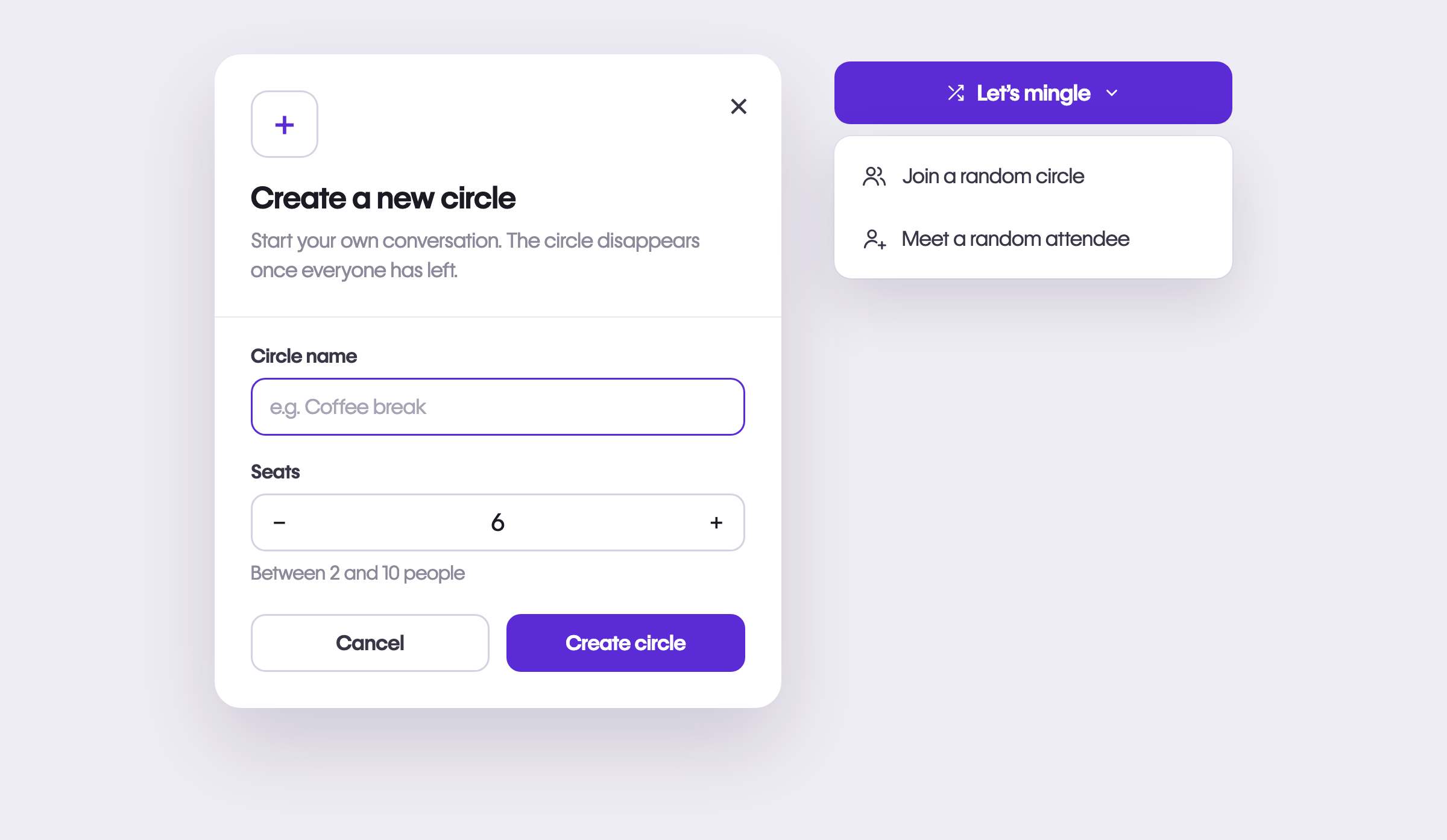
Give every group its own space
Each circle has its own chat, polls, and Q&A. A workshop group can run a poll without adding noise to the main conversation. The hub-wide chat is still close at hand, and the People view shows who’s in each circle.
Make small rooms feel like a meeting
In a circle, attendees can use their camera and microphone, share their screen, react, and raise their hand, including on a phone. Raised hands remain after a reload and appear first for hosts. Full-screen mode keeps chat visible.
Larger circles paginate after 25 people and send video only for the tiles on screen, helping larger groups run smoothly.
How teams are putting this to work
Customer training cohorts. An education team assigns cohorts from the registration list a week before the session. The event opens on the main stage with a 10-minute introduction. The host starts breakouts in locked, automatic mode with a 20-minute timer, checks in on each room, and broadcasts a five-minute warning. Then everyone returns to the stage for a debrief. Each group uses its own chat and poll along the way.
Sales kickoff team rooms. The operations team creates one room per region and assigns attendees with a CSV exported from the CRM. Regional leads own their circles, where they can adjust the layout and play a video.
Community networking after a keynote. After the keynote, the host moves everyone from the stage into the hub in one step. Attendees join topic circles or start their own, meet people through timed random introductions, and stay connected through the hub-wide chat.
Advisory boards and office hours. A recurring group meets in a circle through its own hub URL, protected by a passcode. Participants raise hands, share screens, and react while the host guides the conversation – all on your branded site.
Getting started
The Networking Hub is part of your Sequel event. Set up breakout rooms in the Sequel admin under Networking hub → Breakout rooms. Hosts can place, time, and recall attendees from the host console inside the hub.
A few tips for your first run:
- Room assignments use email. Ask attendees to join with the same address they used to register.
- Test the experience with a host, a circle owner, and an attendee, including someone joining on a phone.
Availability
The new Networking Hub and breakout rooms are available to every Sequel customer today.
If you're an existing customer and want to use networking or breakouts in an upcoming event, talk to your CSM. If you're new to Sequel, get a demo.
Learn more
If you’re a Sequel customer, check out our help center and academy content:
- Bring your audience together with Networking Hubs (Academy video)
- Managing a Networking Hub (help article)
- Breakout rooms in the Networking Hub (help article)