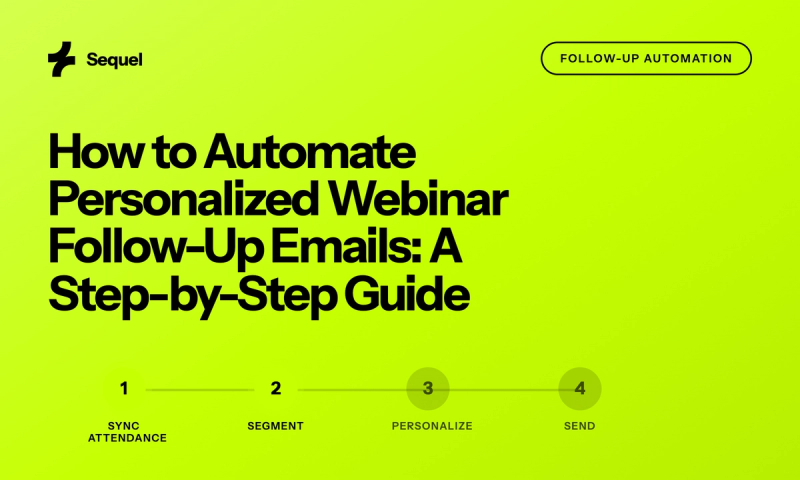
We've analyzed follow-up sequences across more webinars than we could count. The teams seeing 42x ROI from their webinar programs share one pattern: they segment follow-ups based on actual engagement behavior (not just attendance status).
They know that someone who asked three questions and watched 45 minutes needs different messaging than someone who registered but never showed up.
This guide breaks down the exact templates and timing that drive pipeline, not just open rates. You'll walk away with seven proven templates, a behavioral segmentation framework, and the 24-48-7 timing strategy that beats industry averages by 22%.
More importantly, you'll understand why generic "thanks for attending" emails leave money on the table, and how to fix it.
Why Generic Follow-Ups Kill Potential Conversions
Here's what actually happens during a typical webinar.
- 25% of attendees drop off in the first 10 minutes.
- Another 30% watch passively without engaging.
- Maybe 20% ask questions or participate in polls.
- The remaining 25% consume the entire session, click CTAs, and visit your pricing page afterward.
The cost compounds when you factor in webinar production investment. Companies spending $5,000 per webinar (between platform costs, promotion, and team time) need roughly 2-3 qualified opportunities to break even.
Generic follow-ups that convert at 2% versus behavioral follow-ups at 2.44% might seem like decimal points. But across 12 webinars annually, that's the difference between 24 and 29 opportunities or about $145,000 in pipeline assuming average deal sizes.
First-party behavioral data changes this math entirely. When webinars run on your website, you capture the complete engagement picture: which slides they viewed longest, what questions they asked, whether they clicked through to documentation.
That granularity enables follow-up messages that reference specific moments: "You asked about API limits during the product demo. Here's our technical documentation on scaling." That's not personalization theater. It's using actual intent signals to deliver relevant next steps.
And it's only possible when you own the engagement data end-to-end.
The 4-Segment Framework for Webinar Follow-Ups
1. High-Engagement Attendees (15-20% of registrants)
2. Passive Attendees (20-25% of registrants)
3. Early Leavers (10-15% of registrants)
4. No-Shows (40-50% of registrants)
The thresholds map to measurable differences in conversion probability. High-engagement attendees convert to sales conversations at 12-15%. Passive attendees convert at 3-5%. Early leavers at 1-2%. No-shows who watch the replay convert at 2-3%, while those who never engage drop to under 0.5%.
Building these segments requires specific data points: registration source, time in session, engagement actions (polls, Q&A, chat), CTA clicks, and post-webinar website activity.
In your CRM or marketing automation platform, create lead scoring rules that weight these behaviors. A simple model: 10 points for attending, 5 points per poll answer, 10 points per question asked, 15 points for CTA clicks, 20 points for visiting pricing within 24 hours.
7 Templates That Convert Webinar Engagement Into Pipeline
1. High-Engagement Thank You (Send within 2 hours)
Subject:
Thanks for the great questions during today's session on [topic]. Your question about [specific question] got to the heart of what we see across [industry].
Based on your interest in [specific feature/topic they engaged with], I've attached our advanced implementation guide that dives deeper into [specific use case]. Page 3 covers exactly what you asked about regarding [detail from their question].
Since you stayed through our full demo and clicked through to explore [specific feature], I'd love to show you how [similar company] implemented this to achieve [specific result].
[CTA: Book 15 minutes to discuss your use case]
2. Passive Attendee Nurture (Send within 24 hours)
Subject:
Appreciate you joining us for [webinar topic] yesterday. You were part of the 45% who stayed for the full session, always a good sign that the content resonated.
During the session, the majority of questions centered on [top theme]. Here are the three resources our team recommends for going deeper:
- [Resource 1]: Covers [specific challenge] implementation
- [Resource 2]: Real examples from [similar companies]
- [Resource 3]: Technical guide for [specific process]
[CTA: Reply with your biggest challenge]
3. Early Leaver Re-engagement (Send within 24 hours)
Subject:
Noticed you had to drop off early from yesterday's [topic] session, happens to all of us. You missed our demo of [specific feature] that addresses [pain point], which generated lots of discussion.
Rather than sending the full 45-minute replay, here's the 3-minute segment covering [specific topic they'd care about based on registration data]: [replay link with timestamp]
The TL;DR: [One sentence summary of insight]
Worth catching the full demo section?
[CTA: Watch 8-minute demo segment]
4. No-Show Replay (Send within 24 hours)
Subject:
We missed you at yesterday's live session on [topic], but you're in good company. 54% of registrants catch the replay when it works better for their schedule.
Here's what the 400+ attendees discovered:
- Why [common approach] actually reduces [metric] by 25%
- The [framework name] that [specific company] uses to drive [result]
- Live demo of [capability] (timestamp: 22:15)
Quick favor: Hit reply and let me know what time typically works better for live sessions. We're always optimizing based on your feedback.
5. Resource Follow-Up (Send 48 hours later to engaged segments)
Subject:
As promised during the webinar, here's the [specific resource] we demonstrated. It's the same framework [customer name] used to achieve [specific result].
What's included:
- Editable template with example data
- Implementation checklist
- Common pitfalls to avoid (page 4)
[CTA: Download the toolkit]
6. Sales Handoff (Send within 2 hours for highest intent)
Subject:
Hi [Name],
[Sales rep name] here from the Sequel team. I was listening in during today's webinar and your question about [specific challenge] caught my attention.
You're right that [acknowledge their point]. We actually solved this for [similar company] by [specific approach]. They saw [specific result] within [timeframe].
I blocked 20 minutes tomorrow at [time] and [time] to walk through how this would work for [their company]. Which works better?
[CTA: Confirm meeting time]
7. Series Invitation (Send 7 days later to attendees)
Subject:
During last week's session, 12 people asked about [related topic]. So we're diving deep on [date].
This time we're covering:
- [Specific subtopic 1] (you specifically asked about this)
- Live demo of [feature] in a real account
- Q&A with [expert name] who implemented this at [company]
[CTA: Save your spot for [date]]
The 24-48-7 Timing Strategy That Beats Industry Averages
First 24 hours captures 71% of total conversions. High-intent segments (hot leads who asked questions, clicked CTAs) need contact within 2-6 hours. Their interest peaks during and immediately after the session. Waiting means competing with every other priority in their inbox tomorrow. The 6-24 hour window works for standard thank you messages and replay distribution to broader segments.
The 48-hour mark serves a different purpose: resource delivery and nurture content. By this point, you've analyzed engagement data, identified specific interests based on session behavior, and can deliver personalized resources. This isn't another "thanks for attending" email. It's valuable content that extends the webinar conversation.
Day 7 closes the loop. It's your final attempt to re-engage passive segments and no-shows who haven't watched the replay yet. But here's the twist: this message must add new value, not just reminder noise. Share an insight they missed, highlight peer participation ("87% of your industry peers attended"), or offer exclusive content that wasn't in the original session. After day 7, move non-responsive contacts to your standard nurture track rather than webinar-specific messaging.
The reason this timing works is that it aligns with B2B buying behavior research. Decision makers are most receptive to vendor follow-up within the first 24 hours of expressing interest. After that, other priorities compete for mindshare. The 48-hour mark catches people who need time to process but are still in evaluation mode. Day 7 is the final courtesy before they've mentally moved on to other solutions.
Most importantly, each timing window serves a different conversion goal. Immediate follow-up captures hot leads ready for sales conversations. 48-hour follow-up nurtures medium-intent prospects with additional value. Week-later follow-up recovers fence-sitters who need extra motivation to engage.
Teams that treat all three windows identically leave money on the table.
Advanced Personalization Beyond "Hi [First Name]"
Audience Insights captures every meaningful interaction: poll responses, Q&A submissions, chat messages, CTA clicks, time spent per webinar segment, browser tab focus (were they actually watching or multitasking?), and post-webinar site navigation. One attendee might answer "budget constraints" in a poll, watch the pricing section twice, and visit your ROI calculator afterward.
Another might skip polls entirely but submit three technical questions and download your API documentation. Same webinar, completely different follow-up needs.
Modern marketing automation can use these data points for dynamic content (not just "Thanks for attending [webinar name]" but "Your question about API rate limits suggests you're planning for scale). Here's how Company X handled 10x growth using our infrastructure." Or "You spent 12 minutes on the integration slide. Here's a 5-minute video showing the actual setup process."
This requires mapping behavioral data to content assets. Poll answer A gets case study B, question category C gets technical guide D.
B2B deals involve multiple stakeholders. Advanced personalization recognizes when three people from the same company attended with different engagement patterns.
The technical evaluator who asked about security gets different follow-up than the business sponsor who focused on ROI.
The best systems aggregate individual engagement up to the account level: "Four people from your organization attended. Here's a summary of their interests and questions."
This buying committee intelligence transforms follow-up from individual lead nurturing to account-based orchestration. Account-level insights reveal buying patterns that individual tracking misses. When multiple stakeholders from the same company engage deeply, it signals serious evaluation. When they ask complementary questions (one about technical specs, another about business impact), you're looking at a coordinated buying process. That intelligence should trigger account-specific follow-up, not individual email sequences.
Building Your Follow-Up Automation
Most teams start by manually segmenting CSV exports, but that approach doesn't scale. Automated behavioral triggers based on real-time engagement data transform webinar follow-up from manual task to revenue engine.
The technical setup begins with unified data collection. When webinars run on your website, engagement data flows directly into your marketing automation platform. HubSpot, Marketo, and Salesforce can receive behavioral triggers: "Contact X attended 75% of webinar Y and clicked CTA Z."
Those triggers launch specific email sequences matched to demonstrated intent.
Create lead scoring models that weight webinar behaviors appropriately. A poll response might be worth 5 points, a question submission 10 points, a CTA click 15 points. But context matters too. Someone who asks about pricing during a product demo scores higher than someone asking about company history.
Build conditional logic that considers both behavior type and content relevance.
Test timing variations within each segment. High-engagement attendees might convert best with immediate follow-up, but passive attendees might prefer 24-hour delays. A/B test send times, subject lines, and message length within behavioral segments.
The key insight: optimization should happen within behavioral groups, not across them. A high-engagement attendee's response pattern tells you nothing about optimizing no-show follow-up.
Most importantly, measure what matters. Email metrics (opens, clicks) matter less than progression metrics (demo bookings, sales conversations, pipeline creation). We've seen teams triple their demo bookings simply by segmenting follow-ups based on actual behavior rather than attendance status. The templates aren't magic, and the timing windows aren't revolutionary.
But combining behavioral data with systematic follow-up turns one-time events into predictable revenue engines.